03 Instruments and controls
03
}}
* Option/accessory, for more information, see Introduction.
75
functions can be activated or deactivated and
many different settings can be made.
With a press on MY CAR all settings related
to the driving and control of the car are pre-
sented, such as City Safety, locks and alarm,
automatic fan speed, setting the clock, etc.
With a press on the respective function
RADIO, MEDIA, TEL,
*, NAV* and CAM*
other sources, systems and functions can be
activated, e.g. AM, FM, CD, DVD*, TV*,
Bluetooth
®
*, navigation* and park assist cam-
era*.
For more information about all functions/
systems, see the relevant section in the
owner's manual or its supplement.
Overview
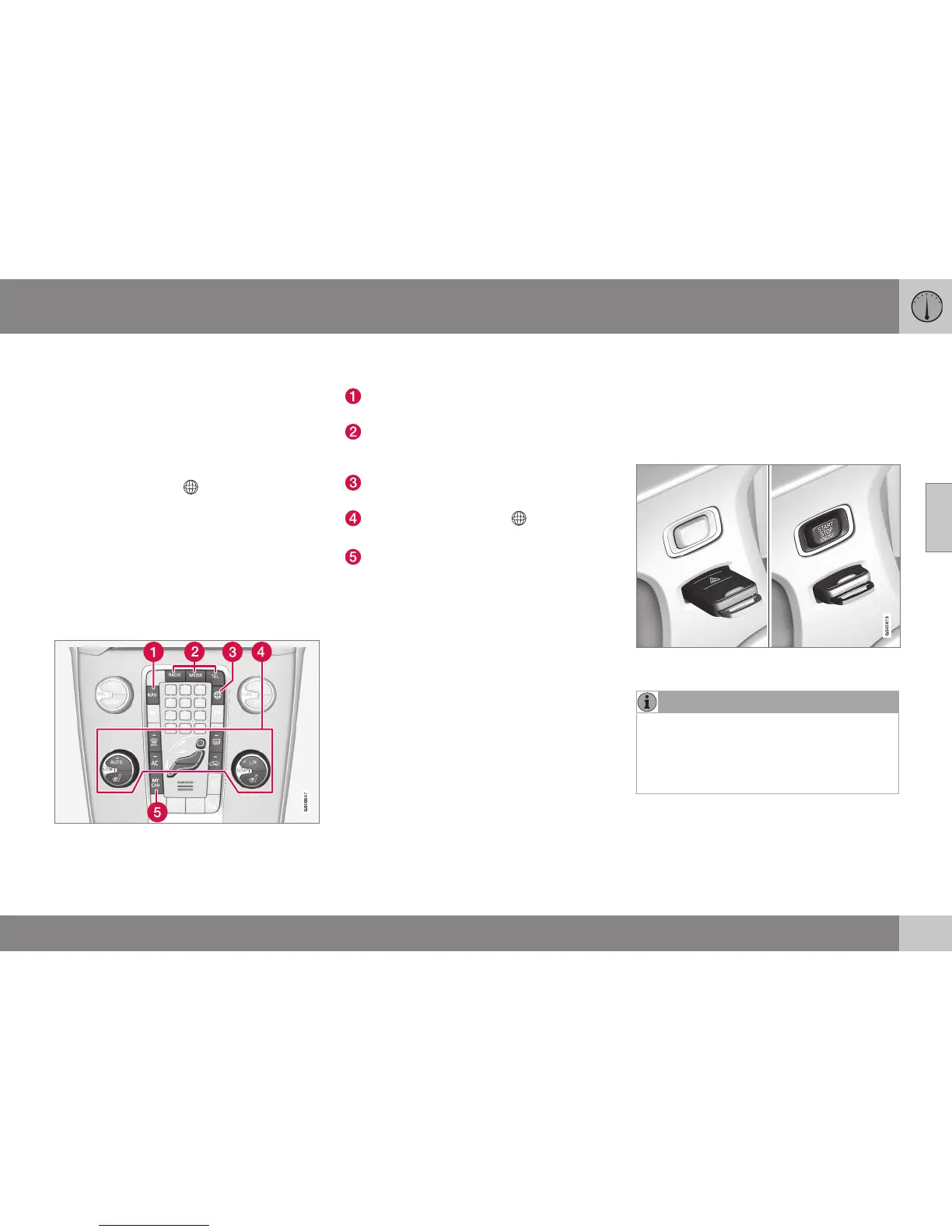
Control panel in centre console. The figure is
schematic - the number of functions and layout
of the buttons both vary, depending on the
equipment selected and the market.
Navigation* - NAV, see separate supple-
ment (Sensus Navigation).
Audio and media - RADIO, MEDIA, TEL*,
see separate supplement (Sensus Info-
tainment).
Function settings - MY CAR, see MY
CAR (p. 108).
Internet-connected car - *, see sepa-
rate supplement (Sensus Infotainment).
Climate control system (p. 121).
Key positions
The remote control key can be used to set the
vehicle's electrical system in different modes/
levels so that different functions are available;
see Key positions - functions at different lev-
els (p. 76).
Ignition switch with remote control key extrac-
ted/inserted.
NOTE
For cars with the Keyless* function the key
does not need to be inserted into the igni-
tion switch but can be stored in e.g. a
pocket. For more information on Keyless
functions, see Keyless drive* (p. 166).




 To Next Page