||
07 Driver support
07
246
* Option/accessory, for more information, see Introduction.
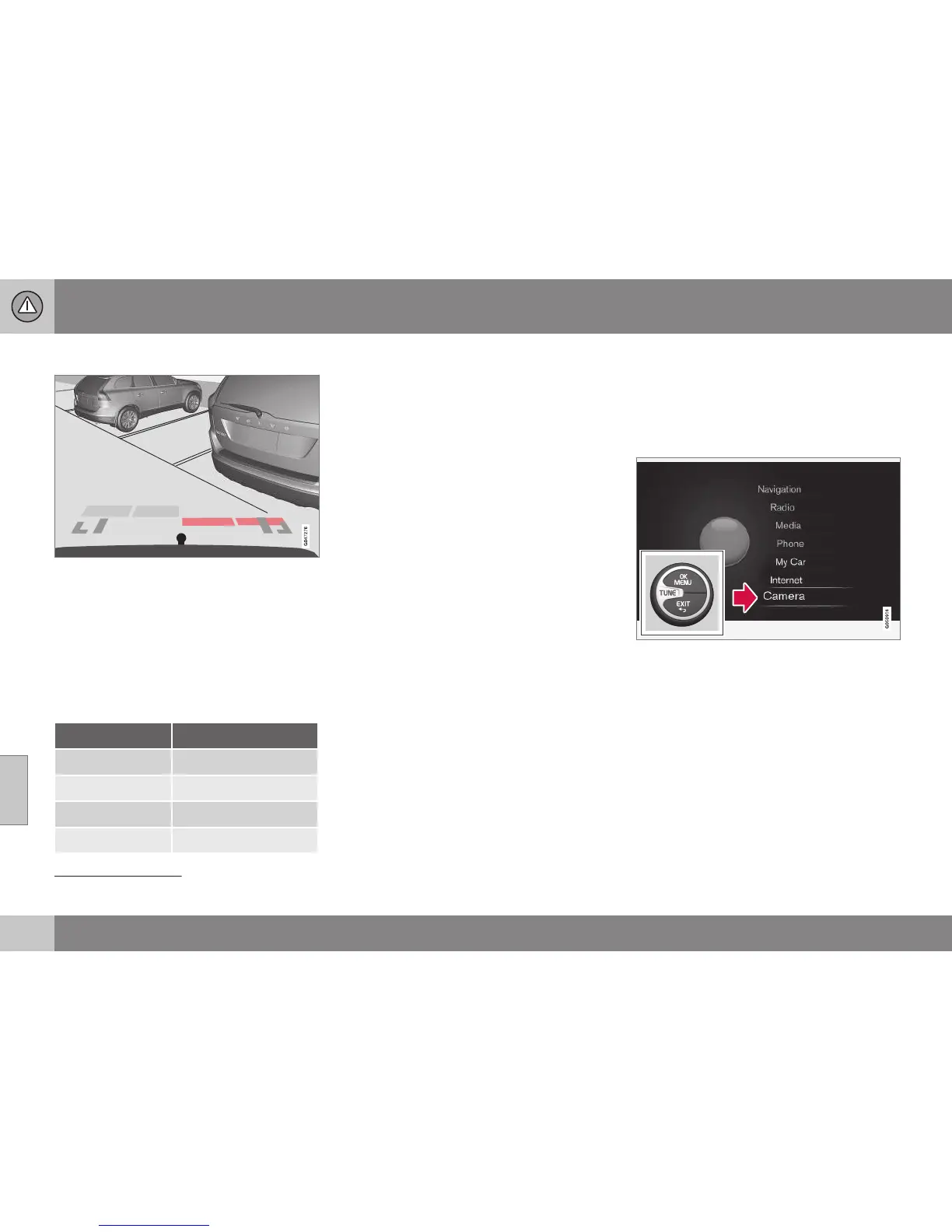
Cars with reversing sensors*
Coloured areas (x 4 - one per sensor) show dis-
tance.
If the car is also equipped with Parking assis-
tance (p. 240) the distance is shown with col-
oured fields for each sensor that registers an
obstacle.
The colour of the areas changes with
decreasing distance to the obstacle - from
light yellow to yellow, via orange to red.
Colour / paint Distance (metres)
Light yellow 0,7–1,5
Yellow 0,5–0,7
Orange 0,3–0,5
Red 0–0,3
Related information
•
Park assist camera - settings (p. 246)
•
Park assist camera - limitations (p. 248)
•
Park Assist* (p. 240)
•
Park Assist Pilot (PAP)* (p. 248)
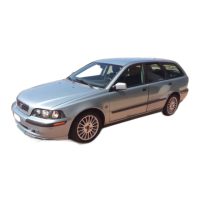
Park assist camera - settings
Activate switched-off camera
If the camera function is switched off when
reverse gear is selected, it is activated in the
following way:
Main source menu
29
.
1. Give one or two long presses on EXIT to
access the main source menu.
2. Turn to the "Camera" option with TUNE
and press OK/MENU.
3. In the following menu: - Turn to the
desired camera view with TUNE and
press OK/MENU - the screen shows the
current camera view.
29
See the Sensus Infotainment supplement for more information about the menu system.




 To Next Page