07 Driver support
07
* Option/accessory, for more information, see Introduction.
247
Options*
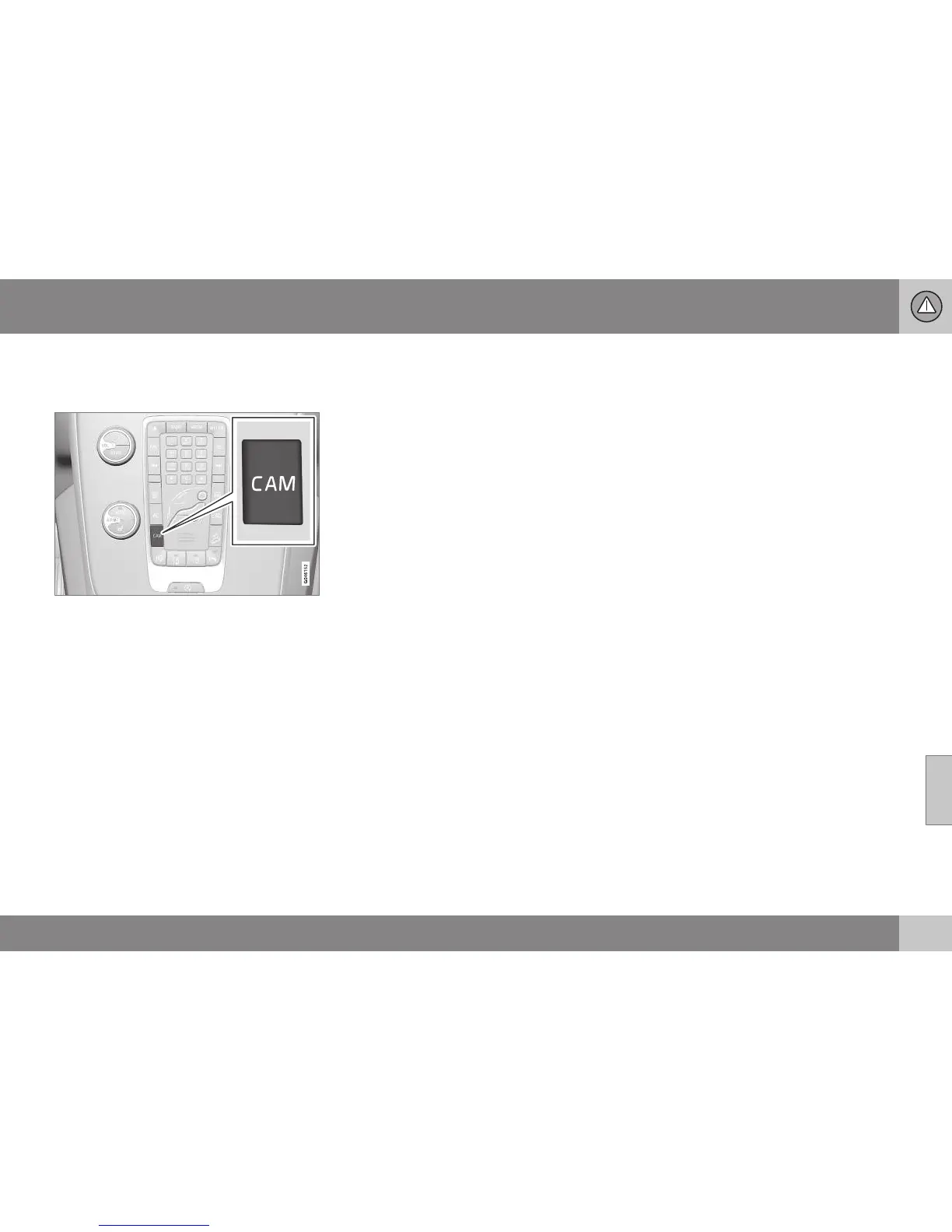
Cars with the front camera option have a
CAM button on the climate panel.
Button location may vary depending on options
for other equipment.
•
Press CAM to activate the camera
- the screenshows the current camera
view.
To change view between the reversing cam-
era and front camera:
•
Press CAM or turn TUNE.
Change setting
The default setting is that the camera is acti-
vated when reverse gear is selected.
The settings for the parking camera can be
changed when the screen shows a camera
view:
1. Press OK/MENU when a camera view is
shown - the screenchanges to a menu
with various options.
2. Turn to reach the desired option with
TUNE.
3. Highlight the option by pressing OK/
MENU once and go back out with EXIT.
Towbar
The camera can be used to advantage when
hitching a trailer. A park assist line for the
towbar's intended "trajectory" toward the
trailer can be shown on the screen - exactly
as for the "wheel tracks".
A choice can be made between showing the
"wheel tracks" or the towbar's trajectory
- both options cannot be shown simultane-
ously.
1. Press OK/MENU when a camera view is
shown.
2.
Turn to reach the
Tow bar trajectory
guide line option with TUNE.
3. Highlight the option by pressing OK/
MENU once and go back out with EXIT.
Zoom
If precise manoeuvring is required then the
camera view can be zoomed in:
•
Press CAM or turn TUNE - repeated
press/turn changes back to the normal
view.
If more options are available, they are in a
loop - press/turn until the desired camera
view is shown.
Related information
•
Park assist camera (p. 244)
•
Park assist camera - limitations (p. 248)
•
Park Assist* (p. 240)
•
Park Assist Pilot (PAP)* (p. 248)





 To Next Page