www.vonets.com VAP11G User Manual
- 6 -
Sales Tel
Sales TelSales Tel
Sales Tel:
::
:+86
+86+86
+86-
--
-755
755755
755-
--
-26642519
2664251926642519
26642519、
、、
、26645879
2664587926645879
26645879
E
EE
E-
--
-mai
maimai
mail:sales@vonets.com
l:sales@vonets.com l:sales@vonets.com
l:sales@vonets.com
Technical
TechnicalTechnical
Technical
support: +86
support: +86support: +86
support: +86-
--
-755
755755
755-
--
-26645879
2664587926645879
26645879-
--
-807
807 807
807
E
EE
E-
--
-mail: support@vonets.com
mail: support@vonets.commail: support@vonets.com
mail: support@vonets.com
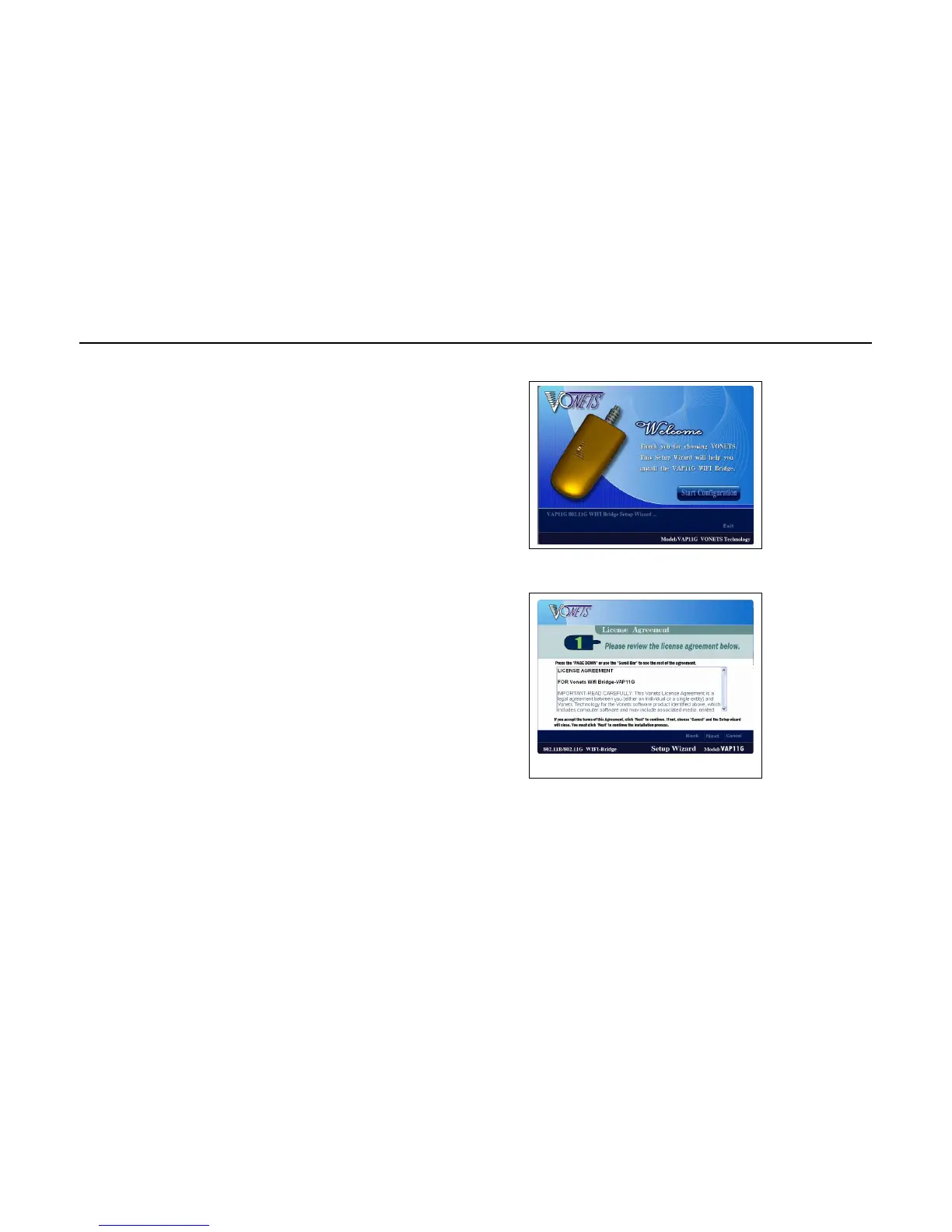
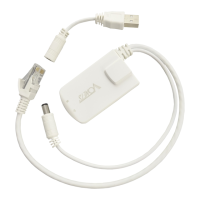
Running the Setup Wizard
1. Click Start Configuration on the first screen.
2. Reading the agreement, click Next if you agree,
click Cancel to exit the wizard.


 To Next Page