www.vonets.com VAP11G User Manual
- 9 -
Sales Tel
Sales TelSales Tel
Sales Tel:
::
:+86
+86+86
+86-
--
-755
755755
755-
--
-26642519
2664251926642519
26642519、
、、
、26645879
2664587926645879
26645879
E
EE
E-
--
-mai
maimai
mail:sales@vonets.com
l:sales@vonets.com l:sales@vonets.com
l:sales@vonets.com
Technical
TechnicalTechnical
Technical
support: +86
support: +86support: +86
support: +86-
--
-755
755755
755-
--
-26645879
2664587926645879
26645879-
--
-807
807 807
807
E
EE
E-
--
-mail: support@vonets.com
mail: support@vonets.commail: support@vonets.com
mail: support@vonets.com
To enter a SSID of the network you want, click SSID button and
complete the SSID field.
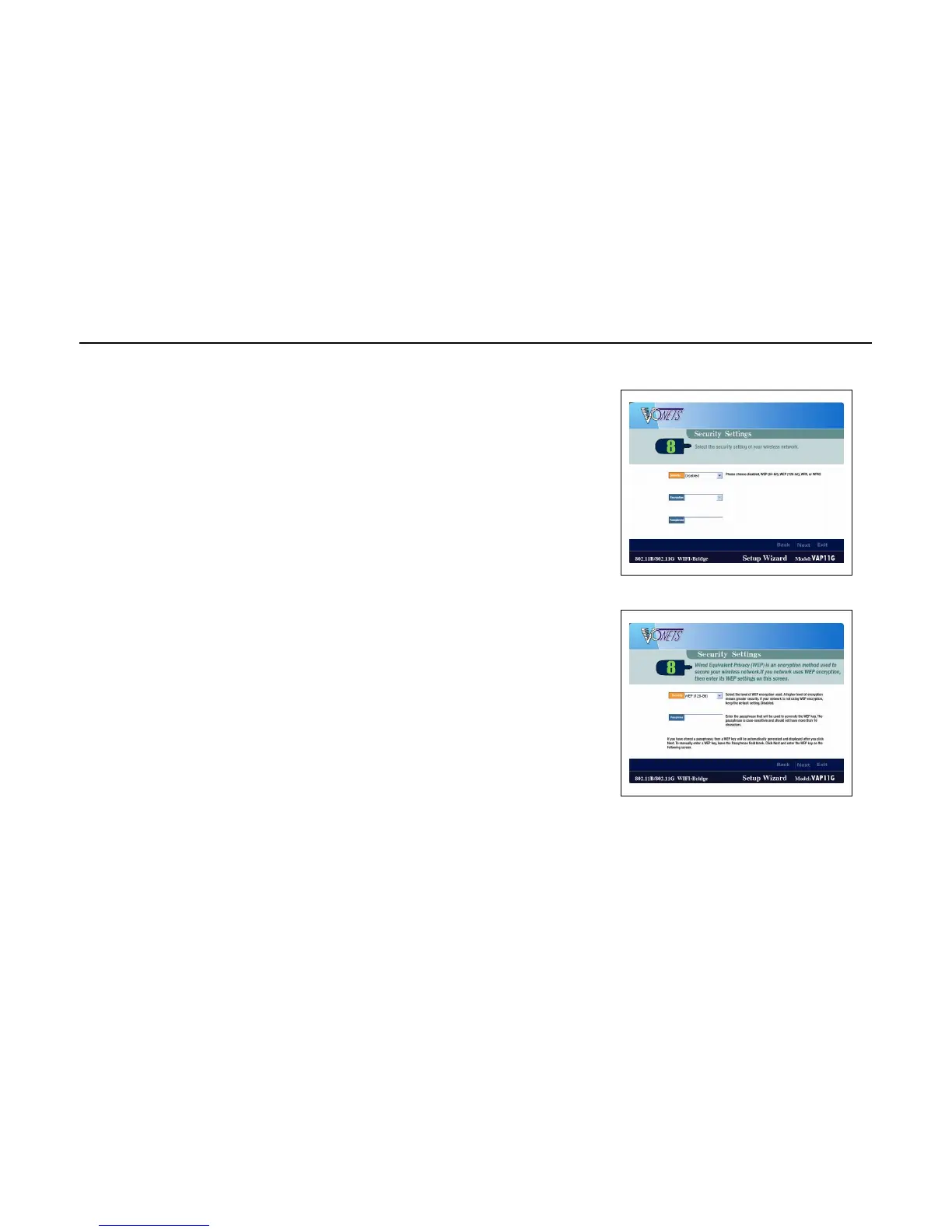
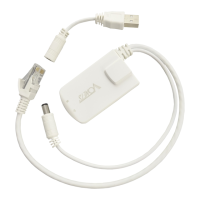
7. Configure the wireless security settings. Select the method your
network is using, WPA, WPA2, WEP (128-Bit), or WEP (64-Bit).
Then proceed to the appropriate instructions. If you are not using
wireless security, select Disabled, and proceed to screen 10.
WPA
WPA automatically uses TKIP with dynamic encryption keys. Enter a passphrase on this screen.
Encryption - TKIP is automatically selected as the encryption method.
Passphrase - Enter a Passphrase, also called a pre-shared key, of 8-63 characters in the Passphrase field.
The longer and more complex your Passphrase is, the more secure your network will be.
Click Next to proceed, or click Back to return to the previous screen.
WPA2
WPA2 automatically uses AES with dynamic encryption keys (AES is a stronger encryption method than TKIP).
Enter a passphrase on this screen.
Encryption - AES is automatically selected as the encryption method.


 To Next Page