EasyManua.ls Logo

Vornado 5303DC - User Manual

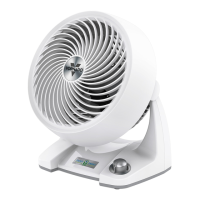
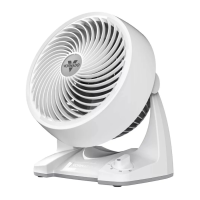
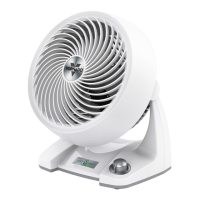
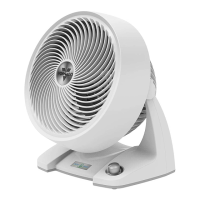
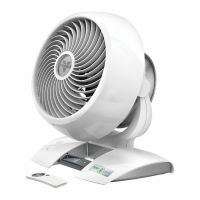
Vornado 5303DC
21 pages
Print Icon
To Next Page IconTo Next Page
Loading...

Other manuals for Vornado 5303DC

Questions and Answers

  • V
    Victoria RiveraJul 27, 2025
    What to do if the remote control is not working for Vornado Fan?
    • A
      ajacksonJul 27, 2025
      If the remote control for your Vornado Fan isn't working, start by replacing the battery with a new 3 volt CR2032 battery. Also, make sure that the receiver lens (inside the Vornado 'V' logo) is visible from the remote control, as the remote requires a line-of-sight path.
  • L
    Logan WeeksAug 6, 2025
    What to do if GFCI trips with Vornado Fan?
    • K
      Kelly MuellerAug 6, 2025
      If the GFCI outlet trips when using your Vornado Fan, there might be an issue with the outlet itself. Consider contacting a qualified electrician to inspect the GFCI outlet. Alternatively, try plugging the fan into an outlet that isn't connected to a GFCI device.
  • N
    Nancy FletcherAug 16, 2025
    Why is the airflow weak in my Vornado 5303DC Fan?
    • N
      norrisandrewAug 16, 2025
      If your Vornado Fan's airflow seems weak or slow, there are a few potential causes. First, check the speed setting and adjust it to a higher level. If that doesn't help, make sure nothing is blocking the airflow. Finally, ensure the fan is directed towards you.

Summary

Important Safety Instructions

Intended Use

Specifies intended use in indoor living spaces in US and Canada, not for commercial use.

Child and Battery Safety

Covers risks to children and hazards from button cell batteries.

Installation Safety

Precautions for safe installation to prevent fire and shock.

Safe Use and Servicing Warnings

Safe Use Precautions

Precautions for safe operation, avoiding circuit overload, fire, and electric shock.

Servicing Precautions

Precautions for cleaning and servicing to prevent fire, shock, and injury.

User Servicing and FCC Compliance

User Servicing Instructions

Step-by-step guide for replacing the fuse safely.

Getting Started

Installing Circulator Head

Instructions for attaching the circulator head to the pole.

Stand Assembly

Instructions for assembling the base and legs of the stand.

How To Use

Basic Operation

Steps to power on and select fan speed.

Grille & Blade Removal

Cleaning

Troubleshooting

Our Warranty

Vornado 5303DC Specifications

General IconGeneral
TypeHousehold blade fan
TimerYes
PlacementTable
Noise level37 dB
Control typeTouch
Product colorWhite
Fan speed (max)1435 RPM
Auto oscillating-
Number of speeds99
Height adjustmentNo
Timer duration (maximum)12 h
AC input voltage120 V
Power source typeAC
AC input frequency60 Hz
Power consumption (typical)33 W
Weight and Dimensions IconWeight and Dimensions
Depth182.9 mm
Width271.8 mm
Height298.5 mm

Related product manuals