6 English
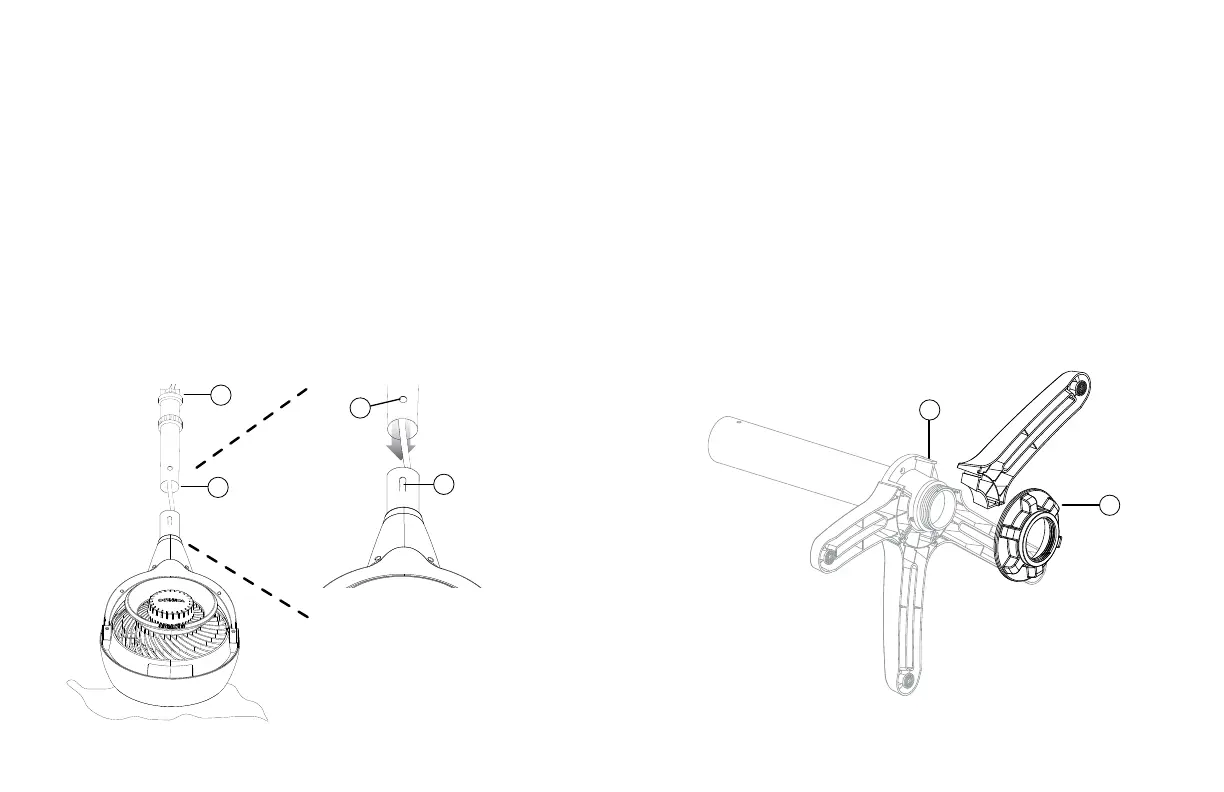
Lock Release
Button
D
C
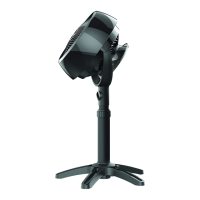
Installing Circulator Head (Model 6803DC Only)
No tools required!
1. Gently place the circulator head face down on the ground on a
soft cloth to avoid scratches or damages to the unit. Insert power
cord into the top of pole (A) and pull through the bottom (B). Align
the Lock Release Button (C) on circulator head with the hole (D)
located on the pole. Push the pole onto the circulator head until
the Lock Release Button snaps into place.
A
B
Stand Assembly (Model 6803DC Only)
1. The upper pole and lower pole are pre-assembled, with the
fastening nut (E) secured on the underside of the base. Rotate
fastening nut counter- clockwise to remove.
2. The legs are designed to t into the grooves (F) on the underside
of the base cap. Assemble all the legs onto the pole, then
replace fastening nut by rotating clockwise to secure all the legs
in place.
E
F
GETTING STARTED


 To Next Page
 Loading...