11
English
10 English
HOW TO USE
1. Insert power cord plug into port that extends from the bottom of the product. Plug
the power cord into a power outlet.
2. Touch ( ) to power ON or OFF. Your circulator returns to last saved memory
setting.
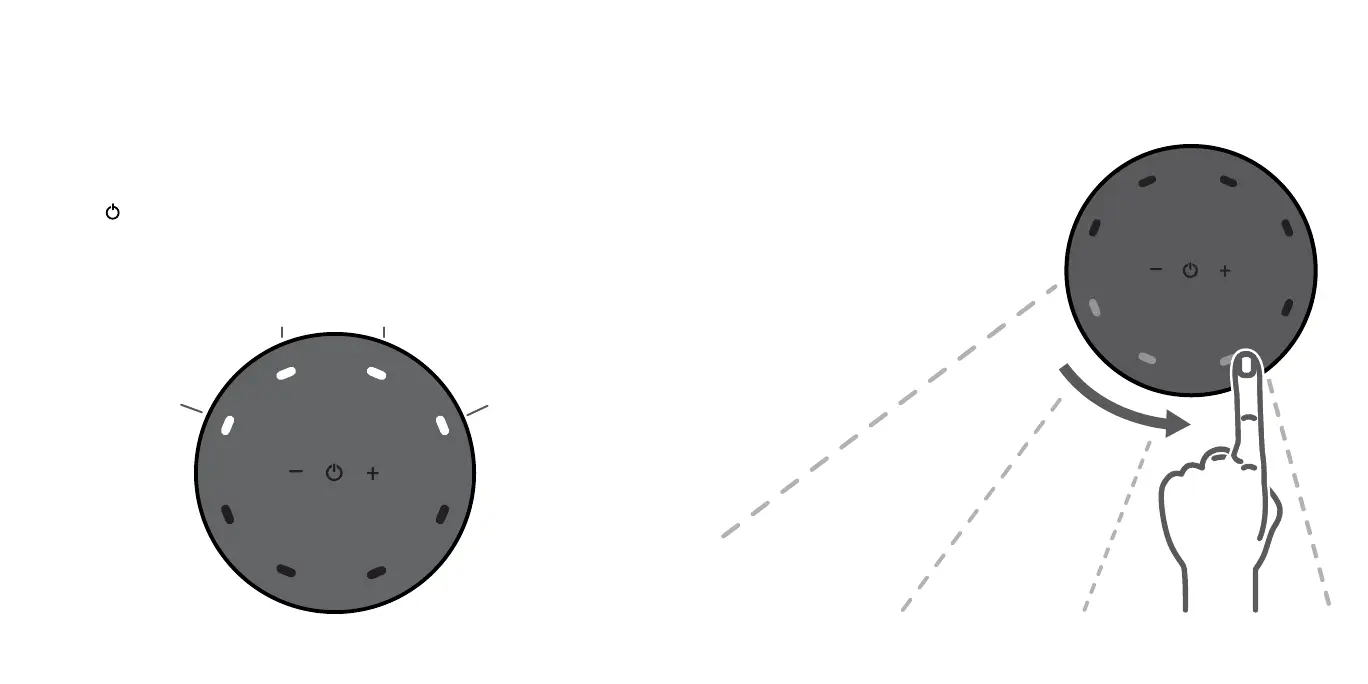
3. Select desired speed by pressing -/+. Speed is indicated by number of white LEDS
as shown on the display.
4. Swipe any area along the control
panel perimeter to turn ON oscillation
and select desired oscillation angle
and direction of airow. Select
90°/180°/270°/360° or innite 360°
oscillating airow in either direction. The
oscillation angle and direction of airow
is indicated by the blue LEDS as shown
on the display.
SPEED 2
SPEED 1
SPEED 3
SPEED 4




 To Next Page