Mounting the Driver
9
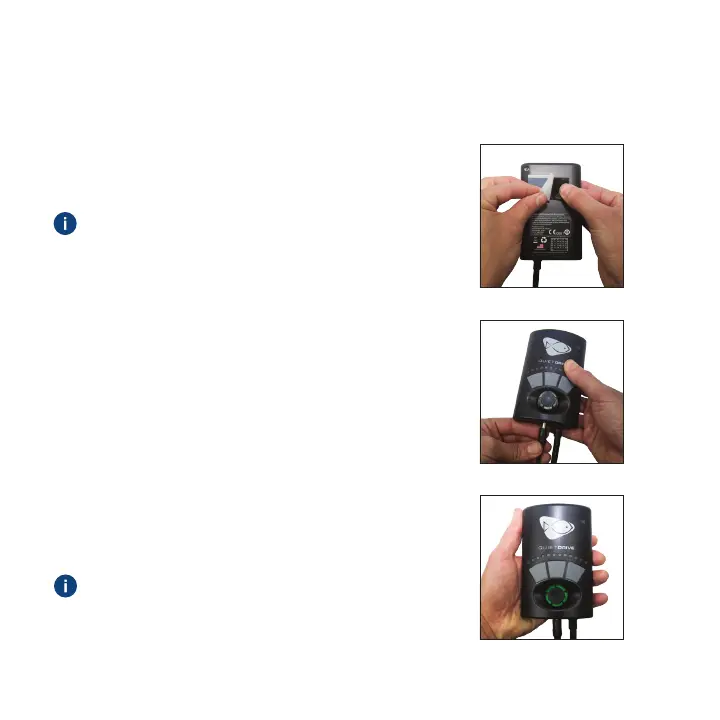
Figure A
Figure B
Figure C
1. Mount the driver where it will not get wet using
the included velcro strips (Figure A).
If the control dial is not green, check the
power cable connections.
The driver is NOT water proof, and water
damage will NOT be covered under warranty.
2. Plug the power supply into the driver and then
plug the power cord into the outlet (Figure B).
The driver will turn on and be in Constant Speed
Mode by default (green control dial).
3. Observe that the control dial is illuminated
green, indicating that the pump is powered
and operational (Figure C).


 To Next Page