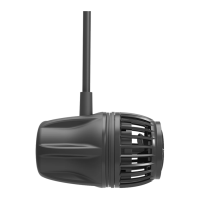
EcoSMART TSM (Tidal Swell Mode)
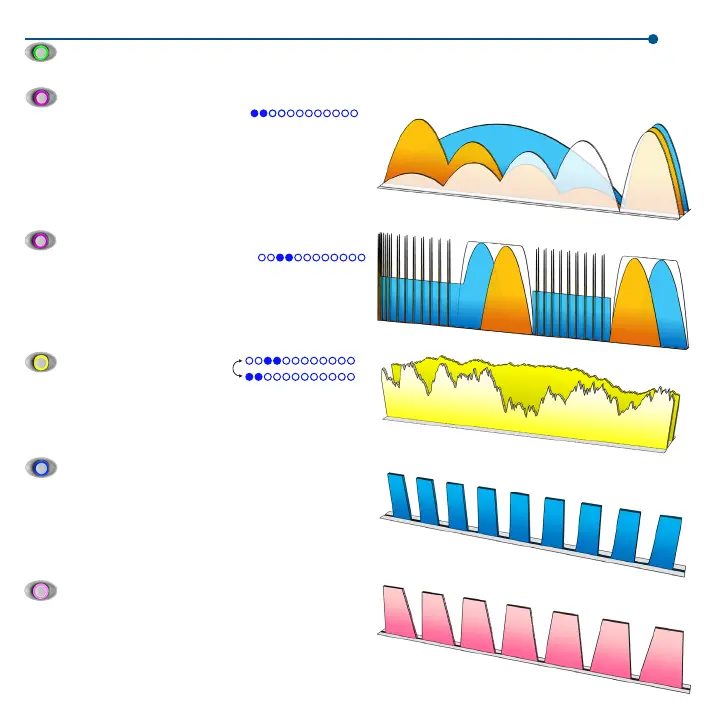
In this EcoSMART mode water is circulated
to create a harmonic balance in your aquarium reminiscent of the
changing flow conditions that would be found in nature. Over the
course of several hours, the flow pattern will go from very chaotic with
an emphasis on left to right flow direction to an emphasis on right to
left flow direction, all the while experiencing calm period in between and
followed by a great surge of flow at the very end of the cycle. Adjusting
the dial changes the maximum speed achieved at any time during this
mode. Slave pumps should be positioned opposite the master and on
the back of the tank to take full advantage of the EcoSMART modes.
Random Mode
In random mode you can toggle between
two different modes, Reef-Crest and Lagoonal. When a pump is
in Lagoonal Random Mode, the dial is used to set the maximum
operational speed, and the driver will automatically randomize the
pumps output to simulate either a high (Reef-Crest) or low (Lagoonal)
energy reef environment. If this pump is a master, the associated
slave pumps will replicate the master in sync or anti-sync modes.
Lagoonal
Reef Crest
General Operational Modes
Constant Speed Mode
EcoSMART NTM (Nutrient Transport Mode)
In this EcoSMART mode, water is circulated in
a two phase program consisting of wave motion to stir up detritus and
surging motion to move the detritus into your overflow where it can be
skimmed out. This effect promotes maximum health and nutrient export,
as well as increased growth for sensitive corals such as SPS. Adjusting
the dial changes the maximum speed achieved at any time during this
mode. Slave pumps should be positioned opposite the master and on the
back of the tank to take full advantage of the EcoSMART modes.
When a pump is in Constant Speed Mode, the dial is used to set the operational speed. If this pump is a master, the associated slave pumps
will replicate the master whether in sync or anti-sync mode.
Short Pulse Mode
Long Pulse Mode
When a pump is first entered into Pulse Mode, you must set the
maximum pump speed by adjusting the dial. When the desired speed
is achieved, press the Set button to lock this speed. The LED will now
begin to blink. This blinking LED represents the pulsing frequency
between 0.2 seconds and two seconds. Now adjust the dial to make
the pump pulse faster or slower. To save this wave, press and hold Set
until the LED flashes and then breathes blue, indicating that the wave
is saved. This saved wave will also be input into EcoSMART NTM.
When the pump is entered into Long Pulse Mode, the maximum
speed of the pump is set by adjusting the dial. When the desired
speed is achieved, press the Set button to lock this speed. The
LED will now begin to blink, the blinking LED represents the pulsing
frequency between 10 seconds and one minute. Now adjust the
dial to make the frequency increase or decrease. To save this wave,
7
press and hold the Set button until the LED flashes and then
breathes pink, indicating that the wave is saved.



 To Next Page
 Loading...