CrossFire
™
HD 1400
16 17
LOS Mode - Incline
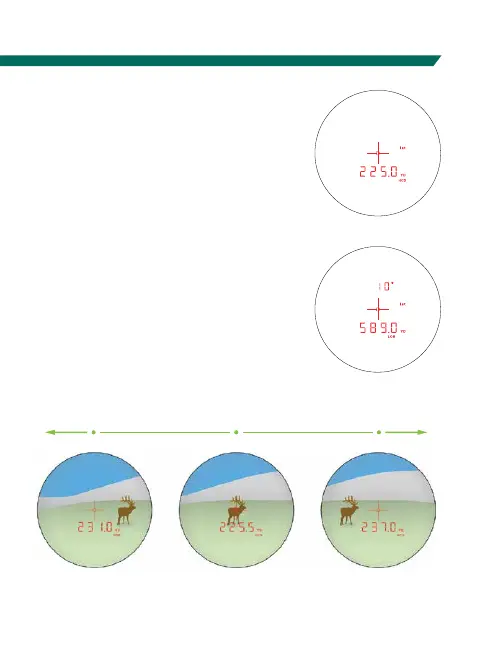
When in LOS mode,
an additional number
is displayed above the
yardage number. This
number is slope incline
shown in degrees.
The slope incline number can be entered into ballistic
programs or field cards to help calculate precise bullet
drops in mountainous terrain.
How to Range
Ranging in Normal Mode
With the Crossfire
™
HD 1400
powered up, position the reticle
on the target object and press and
release the “Measure” button to get
the distance measurement. If the
laser is not able to range due to the
reflectivity of the target, you will
see a display similar to that shown
here. To range a new target, simply
re-aim and press the “Measure”
button again.
Incline Angle
LOS Range
No Range Returned
Scan Ranging
Activate Scan Ranging by pressing
and holding the “Measure” button.
Keeping the button depressed will
continuously measure distance as
you pan back and forth across target
objects. The reticle will blink as
you pan. Releasing the “Measure”
button will return laser to the Power
Up condition.
Scanning to get range:
Scan back and forth, watching for yardage number to display or change.
LOS Scan
HCD Scan



 To Next Page