00:00 – 99:59 (Minute: Second )
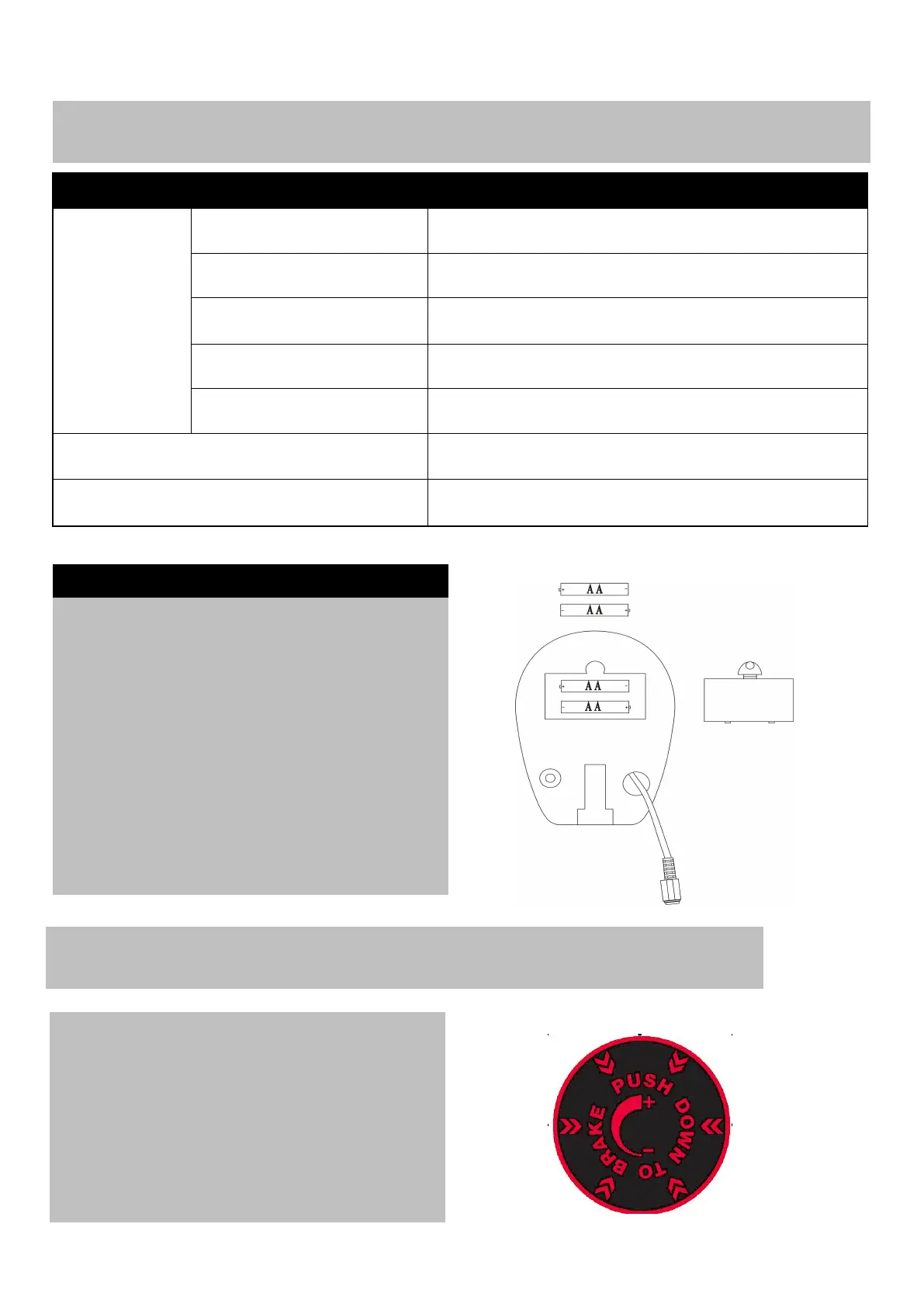
Replacement of the battery
1. Remove the battery cover on the back of the
2. Replace 2x1.5V (AA) batteries.
3. Make sure the batteries are installed
correctly and the polarities are correct.
4. If the display is not clear or only partial
segments appeared, remove the batteries
and wait for 15 seconds before re-installing
them.
5. The battery life is approx. 10 months under
6. When the batteries are removed, all the
functional values will reset to zero.
Resistance Adjustment Instructions
1
.
Turn the Brake Knob (10) clockwise to
increase training resistance, Turn the Brake
Knob (10) anticlockwise to reduce the training
resistance.
2
.
Push down the Brake Knob (10) to brake the
flywheel during your workout.



 To Next Page