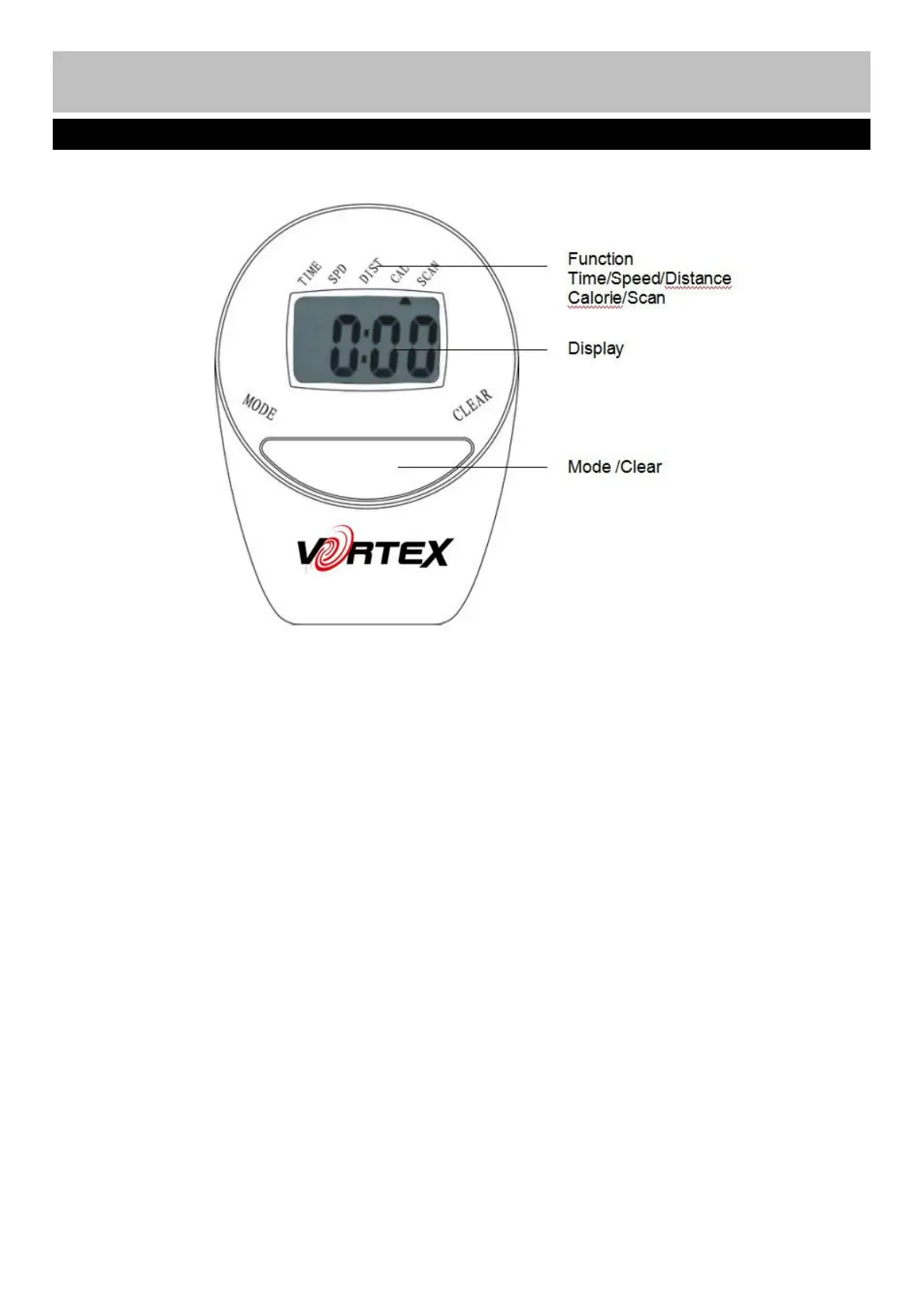
MODE : This key lets you select and lock on to a particular function which you want.
Press to Choose SCAN or LOCK, if you do not want the scan mode, press the Mode key until the pointer is
next to the “flashing” function which you want.
CLEAR:Reset the value to zero by pressing the key.
AUTO ON /OFF:The monitor will switch on automatically when the exercise machine is in motion. The
monitor will turn off automatically when the speed has no signal input or no keys are pressed for
RESET: The unit can be reset by either changing the battery or pressing the MODE key for 3 seconds.
SPEED: Press Mode key until the pointer advances to SPEED. The Computer will display the current speed.
DISTANCE: Press Mode key until the pointer advances to DIST. The Computer will display each trip
distance you have traveled.
TIME: Press Mode key until the pointer advances to TIME. The total working time will be shown when
CALORIES: Press Mode key until the pointer advances to CAL. The Computer will display total calories
burnt when starting to exercise.
SCAN: Press Mode key until the pointer advances to SCAN, the display will automatically rotate between
Time, Speed, Distance, Calories, each display will be held for 4 seconds.



 To Next Page