3.Operating and Programming
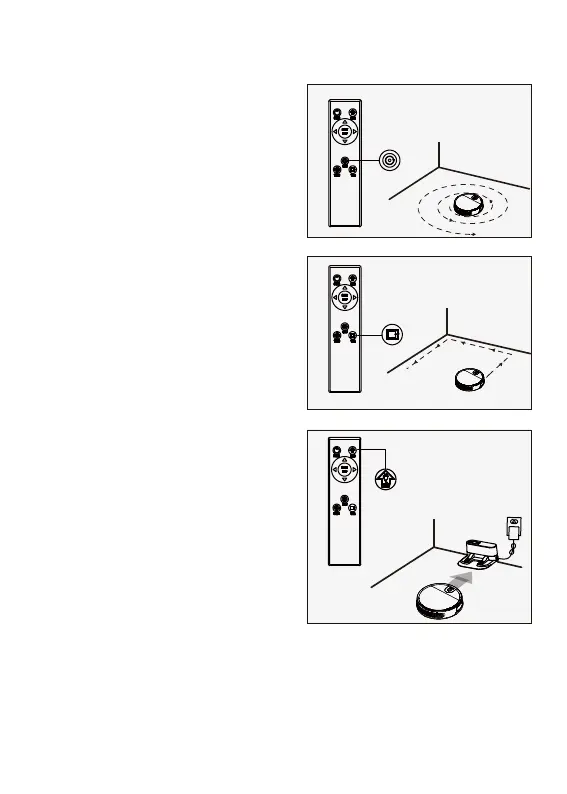
1.Fixed-point Mode
It is suitable for the ground environment
where the garbage is concentrated. The
Robot will centralize cleaning in the
designated area with the "spiral" route.
4.Maintance
4.1Dust Bin and Filters
Open the middle cover to take out the dust bin, open the dust bin cover and empty the
garbage.
2.Edge Mode
It is suitable for cleaning at the corners of
the room. The Robot is cleaned around the
periphery of a fixed object (such as a wall)
and back to the charging dock after
cleaning.
3.Return Charging Mode
During the cleaning process, the appliance
can sense that its power is insufficient, and
automatically find the charging stand for
charging. You can press the “Remote
control home” button or press the
“equipment home” button twice to make
the appliance return to the charging stand
for charging.


 To Next Page