Need help?
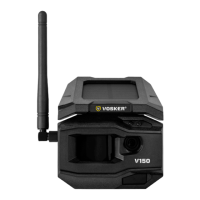
Do you have a question about the VOSKER V150 and is the answer not in the manual?
Configure 'Delay' and 'Multi-shot' settings for photo capture in the VOSKER app.
Steps to improve signal if the camera's status light is red.
Tips for solar panel clearance, battery management, and optional power sources for maximum performance.
 General
| Night Vision | Yes |
|---|---|
| Connectivity | 4G LTE |
| Weather Resistance | IP65 |
| Motion Detection | Yes |
| Field of View | 120° |
| Battery Life | Up to 6 months |
| Storage | Cloud storage |
| Power | Rechargeable battery |
| Weight | 1.1 lbs |

 To Next Page