5
ENGLISH
3. Search for the VOSKER app from VOSKER.
4. Install the app on your smartphone or tablet.
INSERT THE MEMORY CARD
Open the battery case at the back of your camera.
Insert your microSD memory card (up to 2 TB capacity)
in the card slot following the indication on the camera.
We suggest formatting your microSD card
if it’s been in another electronic device.
FINDING THE ACTIVATION CODE
The Activation Code is in the battery case door in the back
of the camera.
ACTIVATE YOUR CAMERA
1. Start the VOSKER app and select “Activate a new camera”.
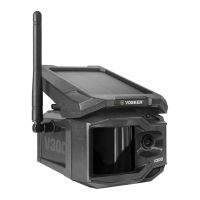
2. Select the model V300.
3. Scan the code from the camera.
4. Back to the VOSKER app: scan the code using the camera
on your phone.
5. Choose the type of surveillance you are going to do
with your VOSKER security camera.


 To Next Page