6
ENGLISH
6. Enter your personal information.
7. Your camera is now activated and you will receive
a conrmation message by email and text message.
SETTING THE APP
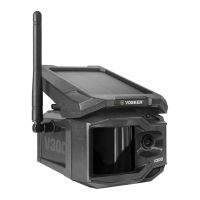
The VOSKER app let you congure all the camera’s settings.
These new settings will take eect the next time the V300
camera connects to update its status. Here are the most
important settings, there are more available in the app.
FIRST TRANSFER TIME
Allows the user to choose at what time of the day the camera
communicates for the rst time.
POWER MODES:
Eco: A low activity mode that will extend the battery life
of the camera but reduce responsiveness. A stream can only
be started after a motion detection.
Performance: A high activity mode that allows streaming,
and video requests at any moment. However this mode
typically consumes more power.


 To Next Page