16 45340 - 11.2022 - V7
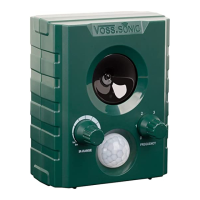
INSTRUCTION MANUAL VOSS.SONIC 2800
8.4 SWITCH ON THE DEVICE
To switch on the device, turn the selector (5) to the desired setting:
When the device is switched on, a red control LED (4) in the upper half of the motion detector(3)
lights up for approx. 5 seconds.
After another 25 seconds, the device is completely ready for operation.
After triggering, a short click is audible and the control LED (4) in the upper half of the motion
detector (3) lights up red. The device then emits the set sound frequency for approx. 9 seconds.
9 MAINTENANCE
The device requires little maintenance. However, you should carry out regular visual inspections.
Check the device for damage before each use. There are no serviceable parts inside the device.
NOTICE
Do not use the device if there is any visible damage.
10 CLEANING
NOTICE
»
Do not use aggressive solvents/cleaning agents, brushes, sharp objects or
similar for cleaning. These can damage the surface.
»
Do not immerse the device in water or other liquids. There is a risk of a short
circuit.
Clean the device with a damp cloth if it is dirty.
11 TROUBLESHOOTING
NOTICE
»
Do not make any improper changes or modications to the device.
»
Contact the Support Service for repairs.
If the device malfunctions or is found to be otherwise defective, even after following the suggested
solutions below, contact the manufacturer. The contact details can be found in chapter 15.
Problem Solution
Animals are not being
repelled
∙
Make sure that the correct settings are being used.
∙
Batteries low or defective. Replace the batteries with new ones.
∙
When using the mains adapter, make sure that the adapter is correctly
plugged into the device and check that the socket being used is
working properly.
∙
See tips in chapter 7.
LED do not lights up/is
not ashing
∙
Batteries low or defective. Replace the batteries with new ones.
∙
When using the mains adapter, make sure that the adapter is correctly
plugged into the device and check that the socket being used is
working properly.


 To Next Page
 Loading...