first-time use of the VT9400 DECT. setting the clear dial tone will enable the VT9400 DECT to function
correctly with your specific desk phone. additionally it is also important to set the microphone volume for
optimal sound quality.
4.1 SET A CLEAR DIAL TONE
2. Get a dial tone by pressing the headset button on the desk
phone, or by lifting the desk phone handset.
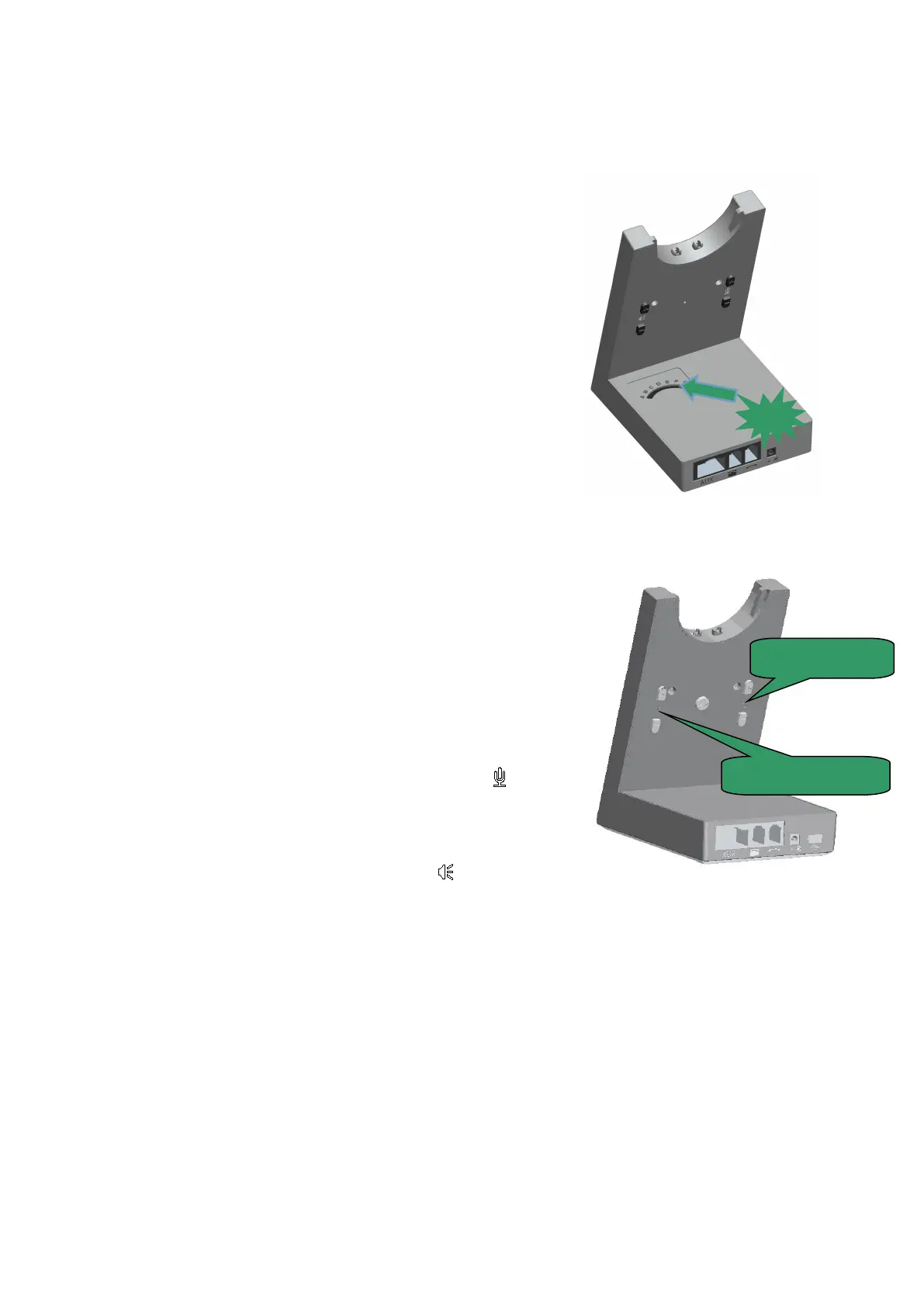
3. Locate the clear dial tone switch on the back of the VT9400
DECT base, as illustrated, and while listening in the headset for
a clear dial tone, rotate the switch from a to G.
4. Determine the best switch position. The dial tone should be
strong, clear and undistorted.
5. When the clear dial tone is set, press the headset button on the
desk phone, or return the desk phone handset to the receiver.
4.2 SET THE MICROPHONE AND RECEIVER VOLUME
2. Get a dial tone by pressing the headset button on the desk
phone, or by lifting the desk phone handset.
3. Make a test call. Call a friend or colleague to test your
speaking volume. ensure the listener does not adjust their own
4. Adjust the microphone volume using the microphone + / -
volume buttons, as illustrated, if your speaking volume is too
loud or too quiet for the listener.
5. Adjust the receiver volume using the receiver + / -
volume buttons, as illustrated, if your listening volume is too
loud or too quiet by the listener.
6. When the microphone volume is set, end the call.
5. VT9400 DECT FEATURES
5.1 HEADSET MULTI-FUNCTION BUTTON


 To Next Page