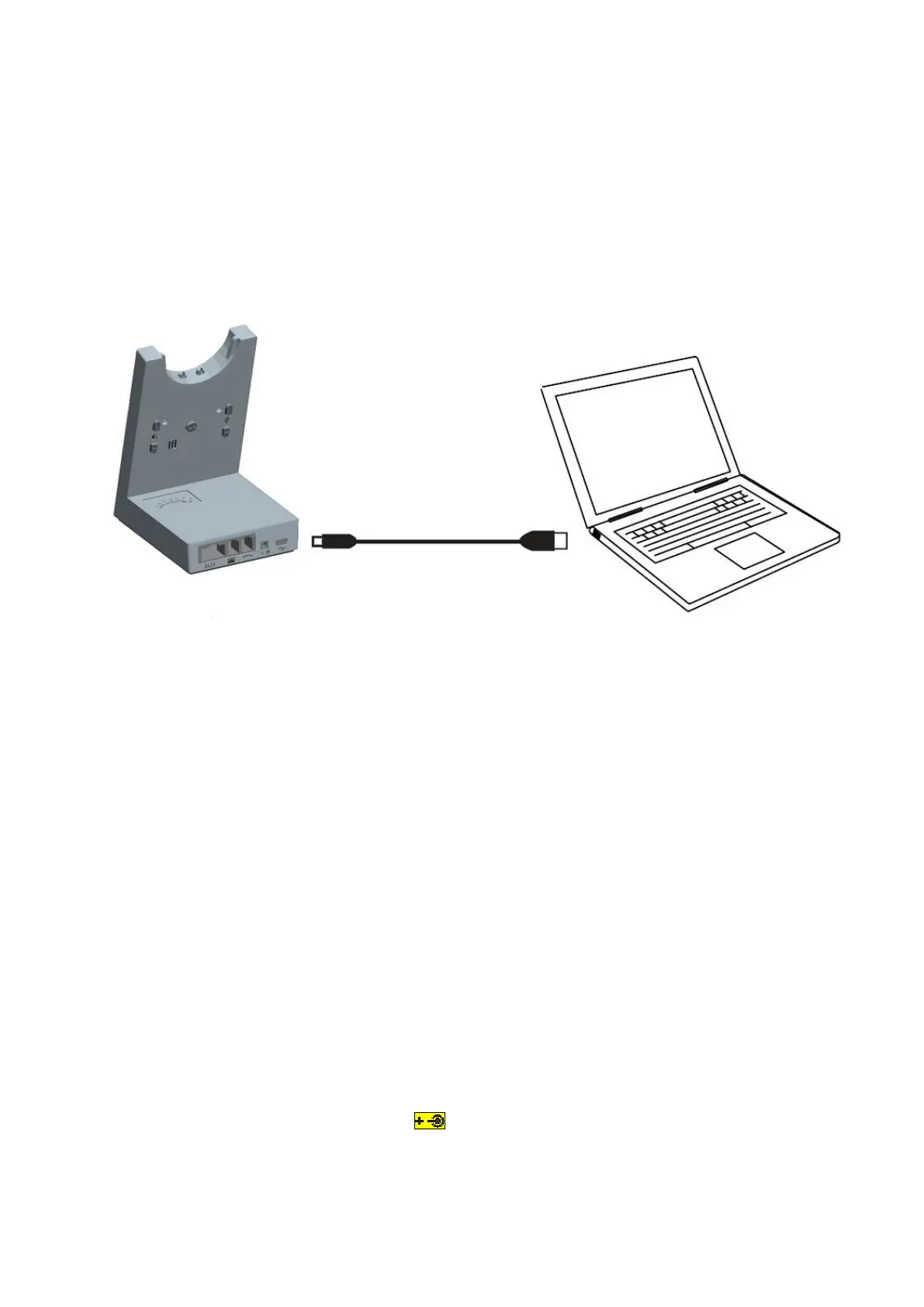
3.2 CONNECTING TO PC
First of all, connect Power Adapter to Base and then using the Mini USB cable connects the Base to
PC. If you want to use the hook on and hook off function with Skype for Business, please open the
Skype for Business and choose 9400 DECT device in settings, after that press the Multi-button on the
headset to answer and hang up the phone call.
3.3 TURN DESK PHONE MODE TO PC MODE
Firstly, connecting Power Adapter to Base, the VT9400 DECT is always in Desk Phone Mode,
and the Desk Phone Mode light is on. Then using Mini USB Cable connects the Base to PC. The
computer should automatically recognize the device and install the correct drivers. Thirdly,
please press the PAGE button and you will see the PC Mode light is on with the Desk Phone
Mode light off. Now the headset is in PC Mode.
If you want to turn PC Mode back to Desk Phone Mode, please press the PAGE button again. When
the Desk Phone Mode light is on and the PC Mode LED is off, the headset is now in Desk Phone Mode
again.
3.4 CONNECT POWER SUPPLY TO BASE
1. Plug the power adapter into the port marked on the base.
2. Connect the power adapter to the mains power socket.


 To Next Page