18
Melody List:
1. She’ll Be Coming ‘round the Mountain
2. Oh My Darling, Clementine
3. Turkish March
4. Jopin: The Entertainer
5. Rossini: William Tell Overture
6. Offenbach: Can Can
7. Mendelssohn: Spring Song
8. Pop Goes the Weasel
9. Bach: Badinerie
TROUBLESHOOTING
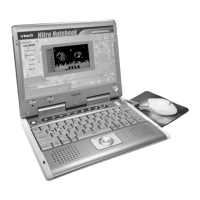
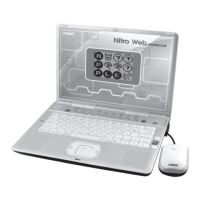
1. If your Nitro Web Notebook
™
stops working or does not turn on:
• Checkyourbatteries.Makesurethebatteriesarefreshandproperlyinstalled.
• Insertthetipofapaperclip(orasimilarobjectwithoutasharptip)intothe
small hole located just above the Power button labeled “Reset.”
• Ifyouarestillhavingproblems,visitourwebsiteatwww.vtechkids.com
for troubleshooting tips.
2. If when pressing the On/Off button, nothing happens:
• Makesureyourunitispluggedin.
• Ifyouareusingbatteries,checktoseethattheyarealignedcorrectly.
3. If you turn the unit on, but cannot see anything on the screen:
Adjust the contrast switch to adjust the darkness of the screen.
4. If you can’t hear any sound:
Adjust the volume switch to adjust the sound level of the speaker.
5. If the screen is frozen and not responding to any input:
Use the tip of a paper clip (or a similar object without a sharp tip) to gently
press the Reset button.
TECHNICAL SUPPORT
If you have a problem that cannot be solved by using this manual, we encourage
you to visit us online or contact our Consumer Services Department with any
problems and/or suggestions that you might have. A support representative will
behappytoassistyou.Beforerequestingsupport,pleasebereadytoprovideor
include the information below:
TROUBLESHOOTING







 To Next Page