8
Telephone operations
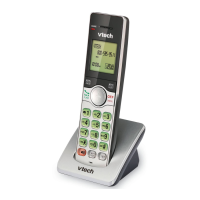
Handset control key panel:
Make a call
• Press , and then dial the telephone
number.
N OTES
• The screen shows the elapsed time as you
talk (in hours, minutes and seconds).
• If the handset is moved out of range while
on a call, it will beep three times.
Predial a call
• Enter the telephone number using
the dialing keys (0-9), then press to
dial.
N OTE
• When predialing (preview numbers
before dialing), press DELETE or CANCEL
to backspace and delete; press and hold
PAUSE to insert a dialing pause (a P appears).
Answer a call
• Press or any of the dialing keys.
End a call:
• Press OFF or put the handset back in the
telephone base or charger.
Volume
• During a call, press VOL- or VOL+ to
adjust the listening volume.
Mute
The mute function allows you to hear the
other party but the other party cannot hear
you.
1. During a call, press MUTE. The handset
displays Muted.
2. Press MUTE again to resume the
conversation. The handset displays
Microphone on briefly.



 To Next Page