26
Telephone operation
Store a directory entry
Use the following steps to store an entry in the directory.
1. Enter the number when the handset is not in use and
press MENU/SELECT, then go to step 4.
-OR-
Press MENU/SELECT when the handset is not in use.
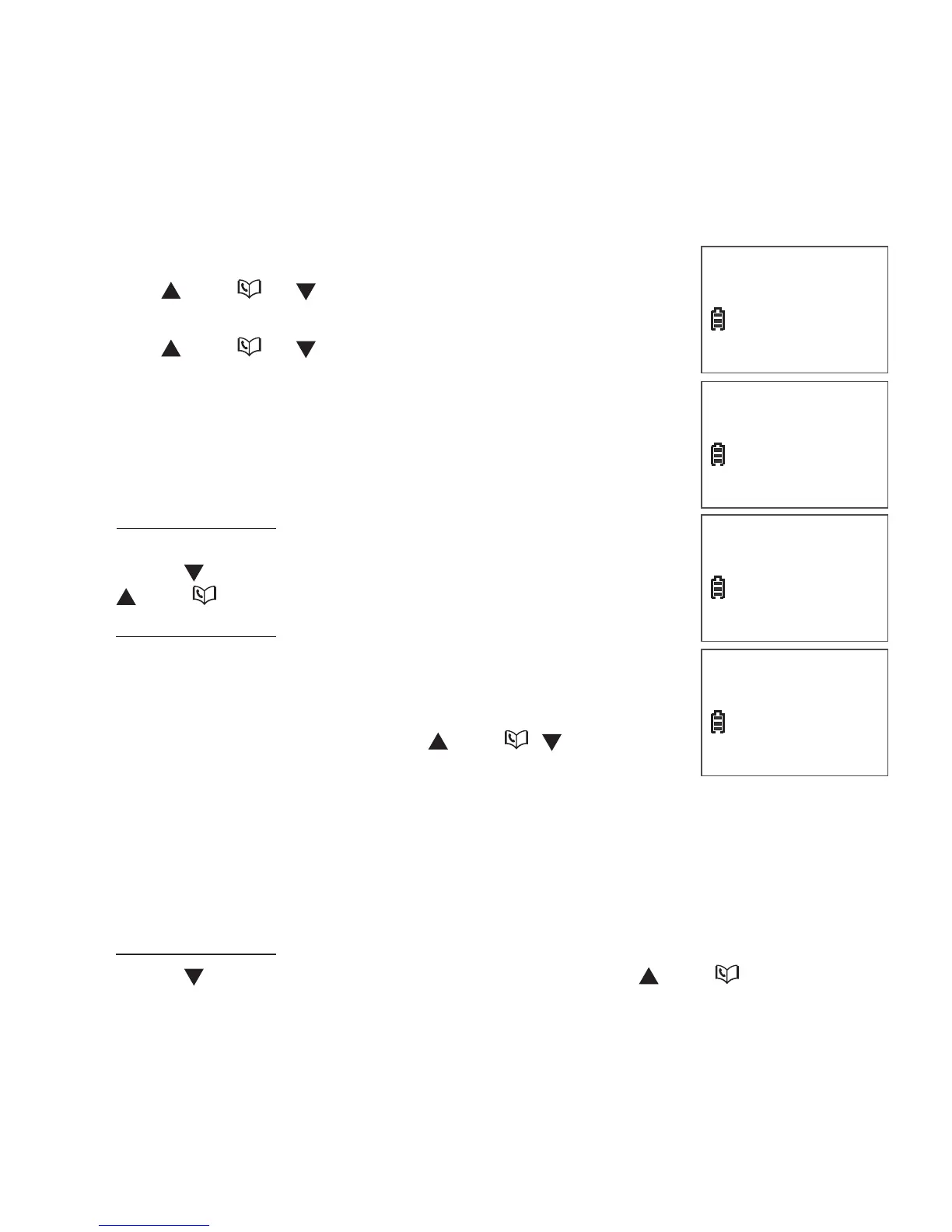
2. Press VOL/ or VOL/CID to select
>
DIRECTORY
and then press MENU/SELECT.
3. Press VOL/ or VOL/CID to select
>
ADD CONTACT, then press MENU/SELECT. The
screen shows ENTER NUMBER.
4. Use the dialing keys to enter or modify the number.
Press MUTE/REMOVE to backspace and erase
a digit.
Press and hold MUTE/REMOVE to erase the
entire entry.
Press VOL/CID to move the cursor to the left or
VOL/ to the right.
Press and hold REDIAL/PAUSE to insert a dialing
pause (a P appears).
- OR-
Copy a number from the redial list by pressing
REDIAL/PAUSE and then press VOL/ , VOL/CID or
REDIAL/PAUSE repeatedly to select a number. Press
MENU/SELECT to copy the number.
Press MENU/SELECT to move to the name. The screen shows
ENTER NAME.
Use the dialing keys (see page 27) to enter the name.
Press MUTE/REMOVE to backspace and erase a character.
Press and hold MUTE/REMOVE to erase the entire entry.
Press VOL/CID to move the cursor to the left or VOL/ to the right.
7. Press MENU/SELECT to conrm. The screen displays SAVED and you
hear a conrmation tone.
•
•
•
•
5.
6.
•
•
•
>DIRECTORY
CALL LOG
>ADD CONTACT
SPEED DIAL
ENTER NUMBER
_
ENTER NAME
_


 To Next Page