9
PRODUCT FEATURES
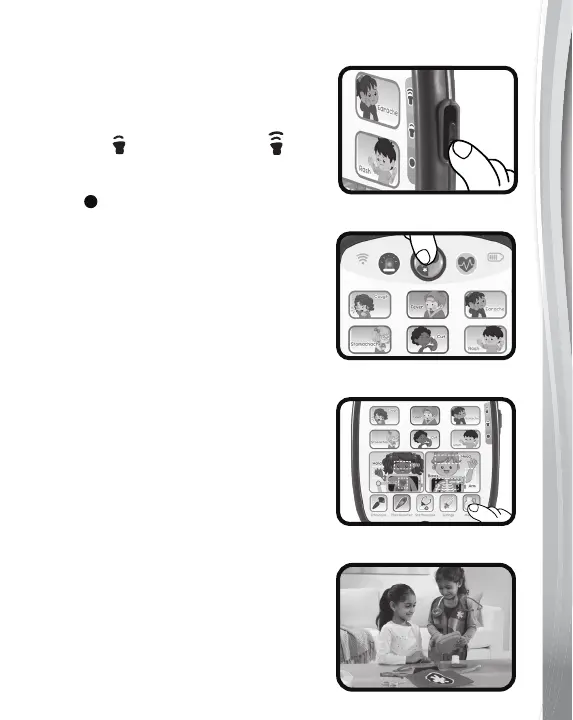
1. On/Off/Volume Selector
To turn the unit On, slide the On/
Off/Volume Selector to the Low
volume or the High volume
position. To turn the unit Off, slide
the On/Off/Volume Selector to the
Off position.
2. Check-Up and
Symptom Buttons
Press the Check-Up Button to
enter Check-Up mode, or one of
the six Symptom Buttons to learn
about common illnesses. The lights
will flash with the sounds.
3. Touch Icons
Press the Emergency Button or the
ECG Button to hear rescue voices,
fun songs and sound effects. Touch
the six Human Body Buttons to
learn about different parts of the body
or the five Medical Tool Buttons to
hear about the instruments doctors
use.
4. Accessories
Use the included accessories like
the Otoscope, Stethoscope,
Syringe or Thermometer for even
more role play fun.












 To Next Page