7
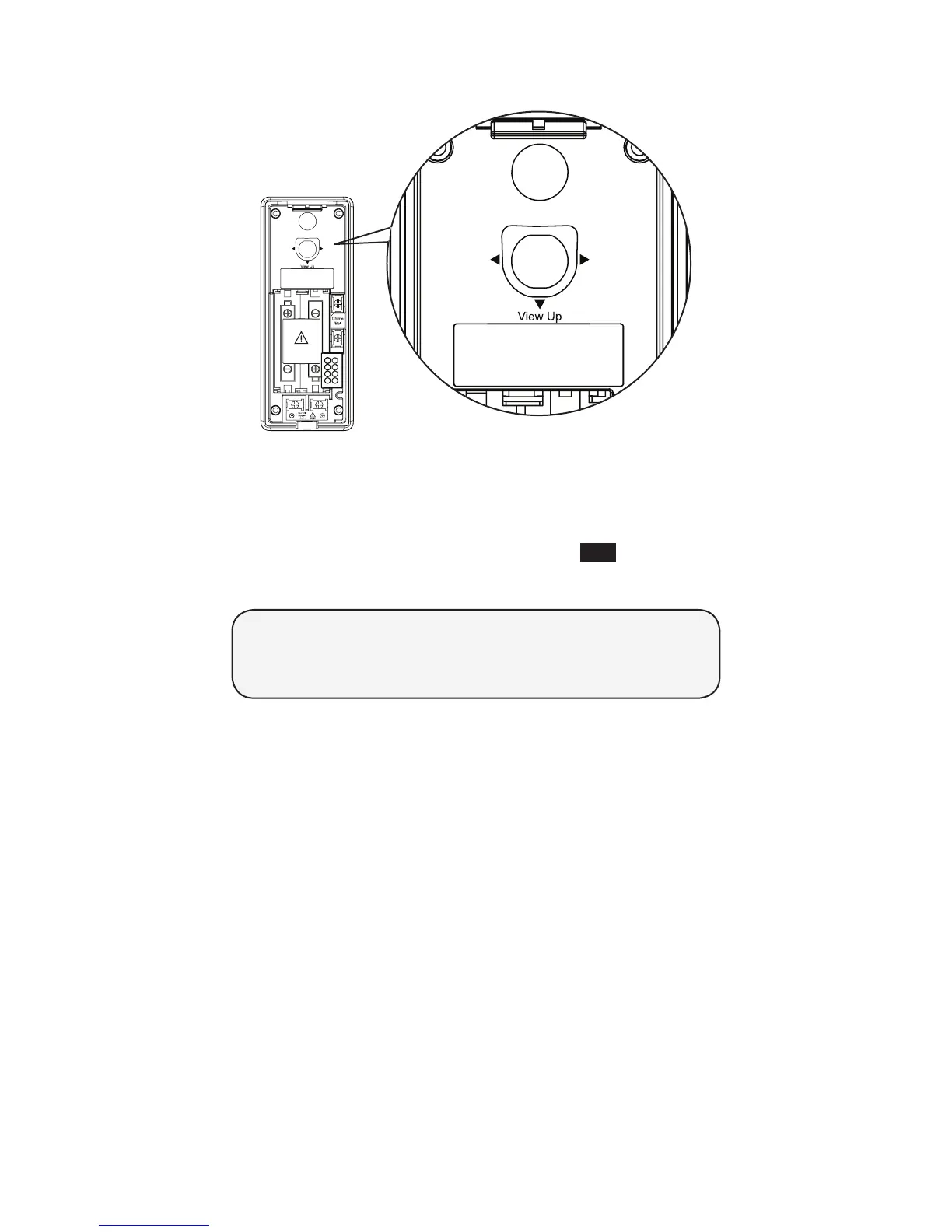
To adjust the shooting area, you may either relocate the doorbell
in different height level, or adjust the camera angle (see below).
To adjust the camera angle:
Tilt the lever to adjust the angle of the camera lens. The
camera lens can be adjusted to left, right or down, up to
10 degrees.
After you have tested the reception range and found the
desirable location to install the doorbell, press END on the
handset to end the video streaming and proceed to Step 6.
•
DOORBELL LOCATION TESTING COMPLETED!
Keep reading for Install the doorbell wall mount
cover and Install the doorbell.



 To Next Page