8
6
Install the doorbell wall mount cover
Make sure you have done Doorbell location testing
above before you mount the doorbell on the wall.
There are two ways to position the wall mount cover and
manage the power adapter cord.
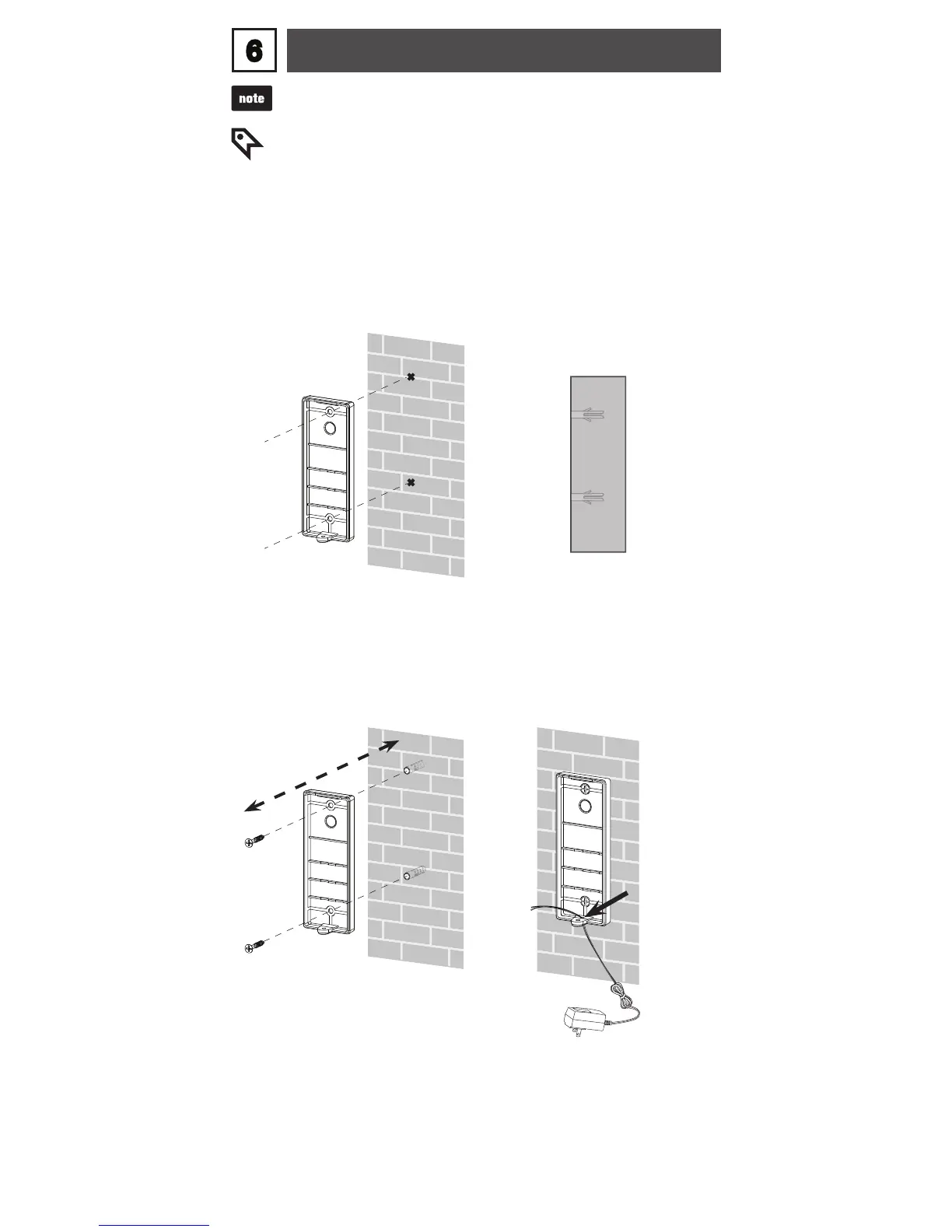
Option 1: Install the doorbell wall mount cover without the
wall mount plate
If you drill the holes into a
stud, go to Step 3.
-OR-
If you drill the holes into the
wall, insert the wall anchors
into the holes.
2.Use the two holes on the
doorbell wall mount cover
to mark the exact location
of the screw holes on the
wall.
1.
Align the holes on the
wall mount cover with the
holes on the wall. Tighten
the screws into the holes
to secure the wall mount
cover onto the wall.
3.
Align
Use a sharp object to open
a hole on the soft plastic part
on the doorbell wall mount
cover, then route the power
adapter cord through the
hole.
4.
Open a
hole here



 To Next Page