9
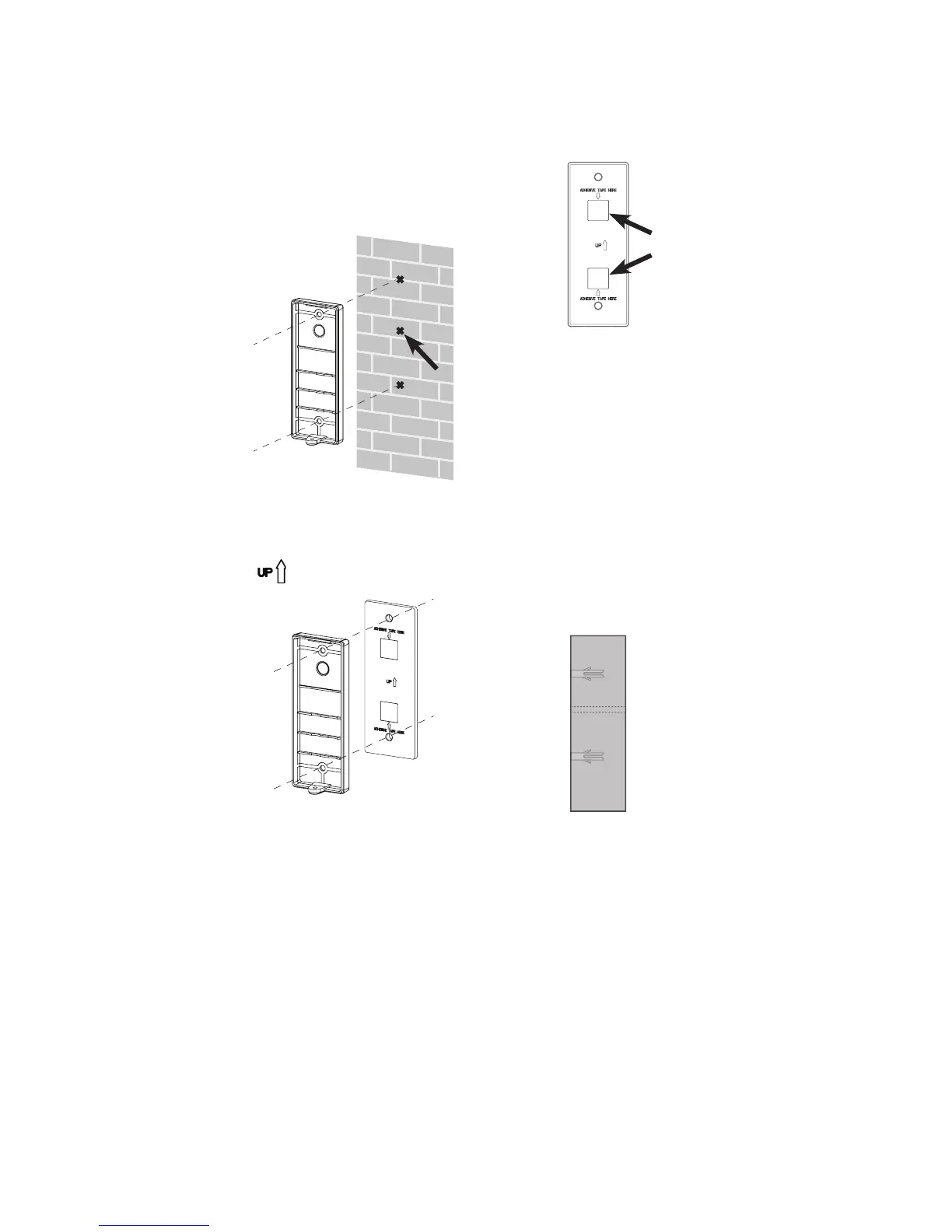
Option 2: Install the doorbell wall mount cover with the wall
mount plate
Use the two holes on the
doorbell wall mount cover
to mark the exact location
of the screw holes on the
wall.
Mark an extra mark for
routing the power cord
through the wall.
1.
An extra
mark
Stick the double-sided
adhesive tapes onto the wall
mount plate as specied.
2.
Align and place the wall
mount cover onto the wall
mount plate. Make sure the
sign is pointing upward.
3.
Stick
here
If you drill the holes into a
stud, go to Step 5.
-OR-
If you drill the holes into the
wall, insert the wall anchors
into the holes.
4.



 To Next Page