4
16 – MUTE / DELETE
• During a call, press to mute the microphone.
• When the handset is ringing, press to mute the ringer
temporarily.
• While reviewing the caller ID log, the phonebook or the
redial memory, press to delete an individual entry.
• During message or announcement playback, press to delete
the playing message or the recorded announcement.
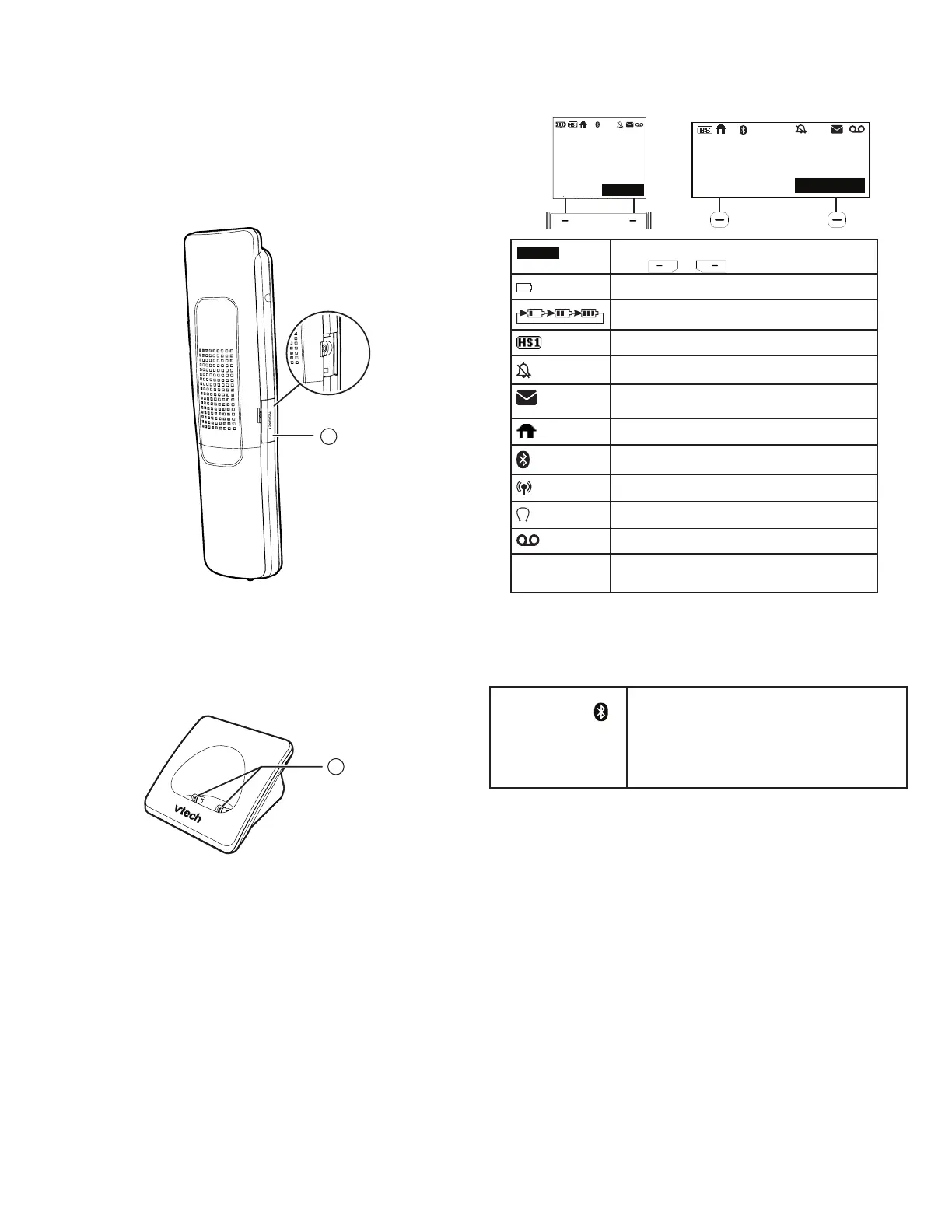
17 – Headset jack
Charger overview
1 – Charging pole
Display icons overview
Telephone base lights overview
CELL 1 /
CELL 2/Headset
Light
• On when the telephone is paired and
connected with a Bluetooth device or
headset.
• Flashes alternately while pairing a
Bluetooth device or headset.
17
1
Handset: Telephone base:
12:05 pm 7/25
MENU
HANDSET
11
22
REDIAL MENU
Jun 13
12:05PM
12
12:05 pm 7/25
MENU
HANDSET
A
Softkeys
Jun 13
MENU
12:05PM
MENU
HANDSET
AA
nn
S1S1
ON2ON2
11
22
22
11
22
11
Option displayed above a softkey.
Press or to select.
The handset battery low and needs charging.
The handset battery is charging.
Handset indicates the handset number.
Handset or telephone base ringer is off.
New voicemail received from your telephone
service provider.
The HOME line is in use.
1 2
Bluetooth device is active.
Bluetooth device is in use.
Wireless Bluetooth headset is in use.
Answering system is on.
NEW
There are new caller ID log entries and/or
new messages.



 To Next Page