4
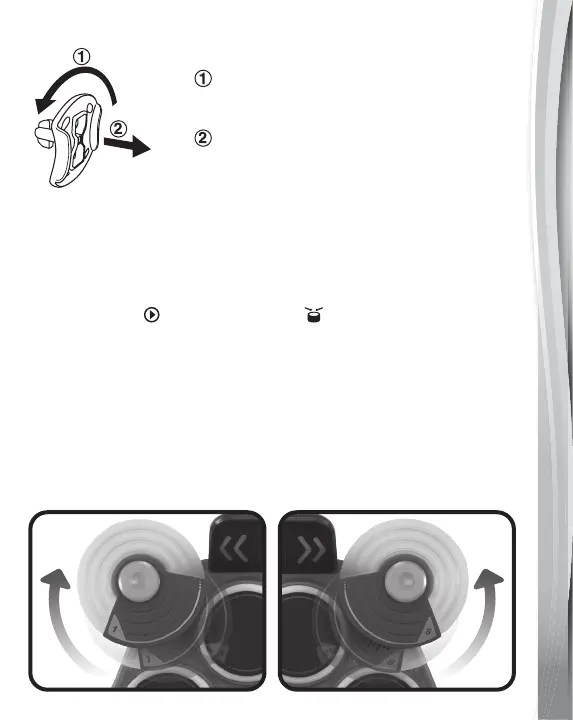
Unlock the Packaging Locks
Rotate the packaging locks 90 degrees
counterclockwise.
Pull out the packaging locks.
GETTING STARTED
How to Exit Try-Me Mode
If the Kidi Star
TM
Drum Pad is in try-me mode in the packaging,
slide the Normal Play / Demo Switch located at the back of the
unit from Demo to the Normal Play position. Then, press
the Power Button to turn on the unit. This will permanently set the
device to Normal Play.
Notes: The batteries included in the unit are for demo purposes only
and are not long life batteries. Please replace them with a
whole new set of batteries for the best performance.
Set Up The Cymbals
Rotate the cymbals (Drum Pad 1 and Drum Pad 6) to get them
ready to play!


 To Next Page