MUSIC
TRACKS
CUSTOM
DRUMS
TEMPO
SFX
DRUM
ON/OFF
MELODY
ON/OFF
SONGS
COACHTIPS
START/
STOP
VOLUME
CLICK
TRACK
DRUM
STYLE GAMES
FREE
PLAY
PRACTICE
REC REPLAY
9
POWER ADAPTER CONNECTION
• Make sure your Kidi Star
TM
Drum Pad is turned Off.
• Remove the batteries before connecting the AC Adapter.
• Locate the AC Adapter Jack on the back of the unit.
• Connect an AC Adapter (not included) to the AC Adapter
Jack .
• Plug the adapter into a power outlet.
• Press the Power Button to turn the system On.
Note: When the toy is not going to be used for an extended period of
time, unplug the adapter.
PRODUCT FEATURES
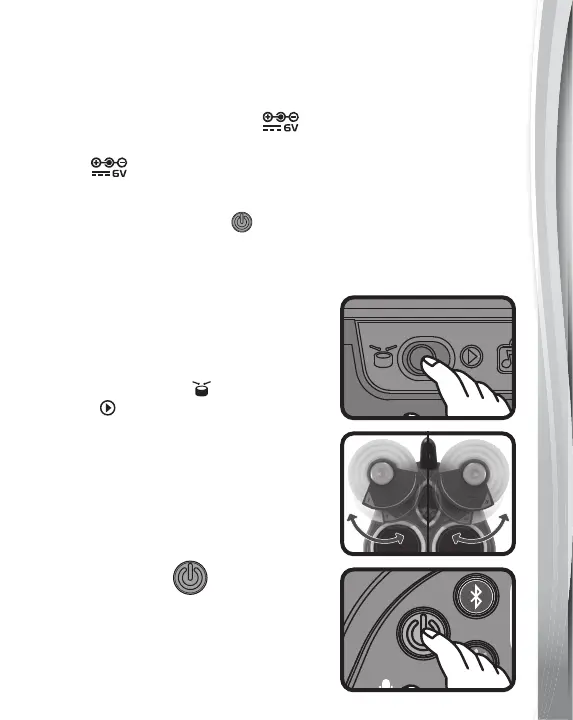
1. Normal Play / Demo Switch
Slide the Normal Play / Demo Switch
to the Normal Play
position from
Demo to exit try-me mode.
2. Turnable Drum Pads
Turn Cymbal Drum Pads 1 and 6
outwards to make the play area wider.
3. Power Button
Press the Power Button to turn On
the unit. Press the button again to turn
Off the unit.


 To Next Page