Page 18
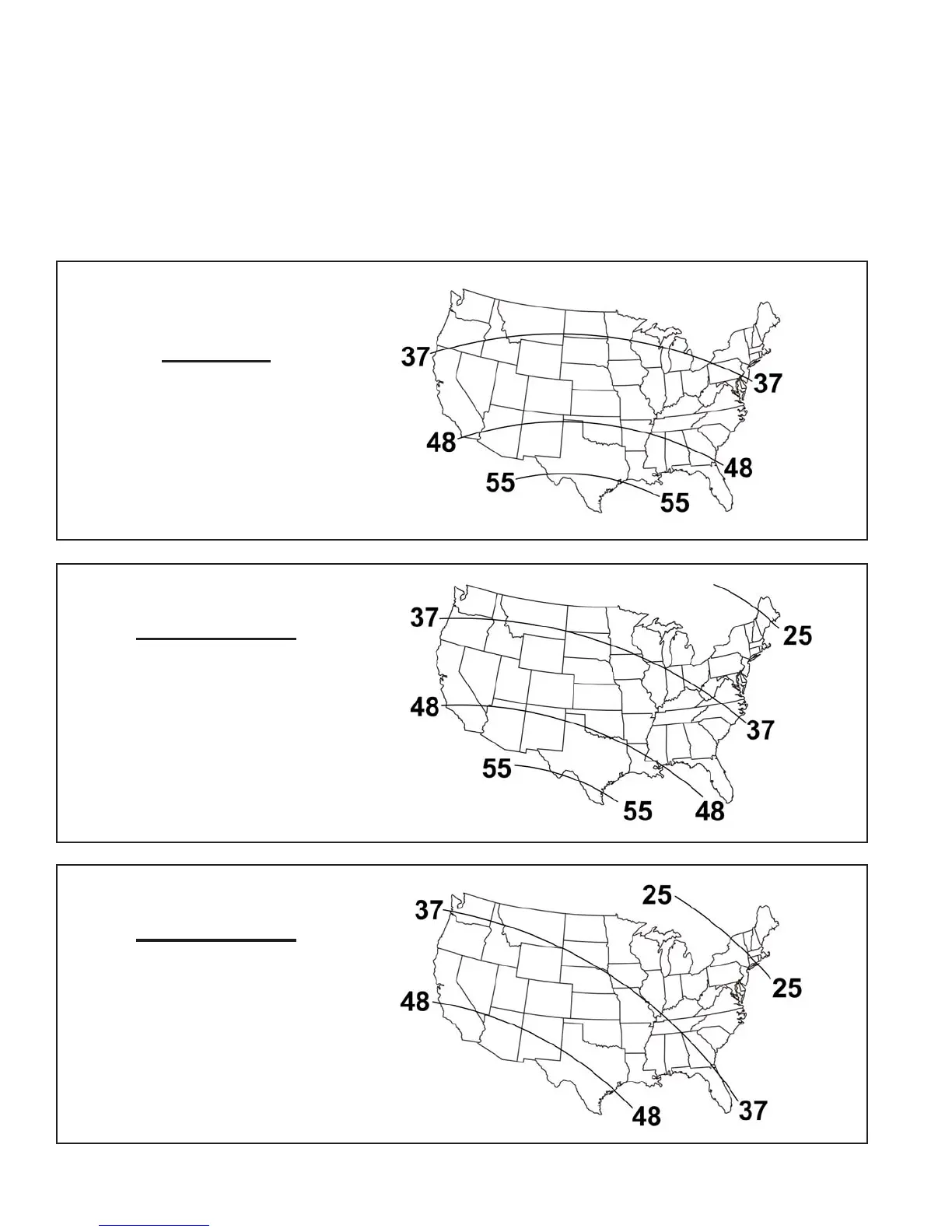
If you have traveled a long distance since last performing a search, you can speed up acquisition
time by setting the VuQube to start searching at one of four different elevations: 25°, 37°, 48° or
55°.
Find your location on the appropriate map for your service and choose the elevation closest to
you. Then follow the instructions in the corresponding box on the next 2 pages.
CHANGE SEARCH ELEVATION
DIRECTV
Single satellite 101
DIRECTV Plus
Dish Network
Dish 500
Dish 1000
Dish 1000a
Dish Network
Single satellite 119


 To Next Page