EasyManua.ls Logo

VXI V300 - Page 14

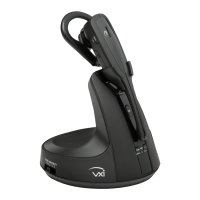
VXI V300
15 pages
Print Icon
To Next Page IconTo Next Page
To Previous Page IconTo Previous Page
Loading...
204001X V300 Quick-Start Guide 122016.docx 14
Headset
Base/Headset
Function
Button/Duration
of Press
Base LED
Indicator
Headset LED
Indicator
Headset
Audio
Indicator
Voice
Indicator (in
English)
Headset
Charging in
base station
-
-
Red while
charging. Blue
when charged
-
-
Headset
Volume up
Volume up
(quick press)
-
-
1 short
tone
-
Headset
Volume
down
Volume down
(quick press)
-
-
1 short
tone
-
Headset
Maximum or
minimum
volume
reached
Volume up or
volume down
(quick press)
-
-
3 quick
beeps
-
Headset
Mute
(on/off)
Mute button
(quick press)
-
-
-
“Mute on”/
“Mute off”
Headset
Mute
reminder
-
Red mute
LED
-
1 tone
(every 15
seconds)
-
Headset
Answer a
call
Call control
Button
(quick press)
-
Blue light
flashes slightly
slower
1 short
tone
-
Headset
End a call
Call Control
Button
(quick press)
-
Blue light
flashes slightly
faster
1 short
tone
-
Headset
Out of range
Any headset
button
-
-
-
“Out of
range”
Headset
Very low
battery
-
-
Flashes 3
times, pauses,
repeats 3 more
times, then
shuts down
-
Headset
Low battery
-
-
Flashes every
20 seconds
“Low
battery”
Headset
Incoming
call (analog
mode)
-
-
Flashes quickly
-
-
Headset
Answer
second
incoming
call (analog
mode only)
Mute button
(long press)
-
-
1 short
tone
-
Headset
Headset not
registered
Any headset
button press
-
Red and Blue
alternating
flash
-
“Not
registered”

Related product manuals