EasyManua.ls Logo

VXI V175 - User Manual

VXI V175
19 pages
Print Icon
To Next Page IconTo Next Page
Loading...
VXi V175
User Guide
Question and Answer IconNeed help?

Do you have a question about the VXI V175 and is the answer not in the manual?

Summary

Safety Information

Important Safety Note

Critical warning about prolonged exposure to high volume levels and potential hearing damage.

General Safety Precautions

Covers precautions for handling plastic parts, power adapters, water immersion, cleaning, battery, and temperature.

Base Overview

Headset Overview

How to Wear

How to Wear (continued)

Connect to Your Phone

Connect Power to Base

Procedure for connecting the power adapter to the base station and an electrical socket.

Install Battery and Charge Headset

Guide on inserting the headset battery and placing it in the charging cradle.

Connect to Your Phone (continued)

Office Phone (standard) Setup

Detailed steps for connecting the VXi V175 headset to a standard office phone.

Office Phone with EHS Setup

Instructions for connecting the VXi V175 headset with an Electronic Hook Switch (EHS).

Configuration and Test Call

Guidance on checking base settings, compatibility switches, and performing a test call.

Making Calls with an Office Phone

Making Calls with an Analog (Home) Phone

Basic Call Operations

Steps for placing, answering, and ending calls using the headset and analog phone.

Registering;Pairing Headsets to the Base

Registering a Headset

Step-by-step process to pair a new headset with the VXi V175 base station.

Deregistering;Unpairing a Headset

Instructions for removing a headset's pairing from the base station.

Functions & Indicators Tables

Summary

Safety Information

Important Safety Note

Critical warning about prolonged exposure to high volume levels and potential hearing damage.

General Safety Precautions

Covers precautions for handling plastic parts, power adapters, water immersion, cleaning, battery, and temperature.

Base Overview

Headset Overview

How to Wear

How to Wear (continued)

Connect to Your Phone

Connect Power to Base

Procedure for connecting the power adapter to the base station and an electrical socket.

Install Battery and Charge Headset

Guide on inserting the headset battery and placing it in the charging cradle.

Connect to Your Phone (continued)

Office Phone (standard) Setup

Detailed steps for connecting the VXi V175 headset to a standard office phone.

Office Phone with EHS Setup

Instructions for connecting the VXi V175 headset with an Electronic Hook Switch (EHS).

Configuration and Test Call

Guidance on checking base settings, compatibility switches, and performing a test call.

Making Calls with an Office Phone

Making Calls with an Analog (Home) Phone

Basic Call Operations

Steps for placing, answering, and ending calls using the headset and analog phone.

Registering;Pairing Headsets to the Base

Registering a Headset

Step-by-step process to pair a new headset with the VXi V175 base station.

Deregistering;Unpairing a Headset

Instructions for removing a headset's pairing from the base station.

Functions & Indicators Tables

Overview

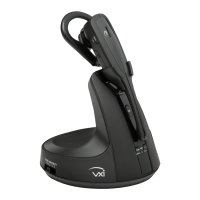
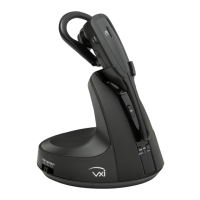
The VXi V175 is a wireless headset system designed for office use, offering advanced features for communication and comfort. This system comprises a headset and a base unit, providing a comprehensive solution for desk phone connectivity.

Function Description

The VXi V175 headset system facilitates wireless communication with desk phones, offering users freedom of movement within a significant range. The core function of the system is to enable hands-free calling, integrating seamlessly with various office phone setups. It supports both standard office phones and analog (home) phones, with specific configurations for each. The system also supports remote call answering and ending through optional accessories like the VEHS Electronic Hook Switch (EHS) and the L50 Lifter, enhancing convenience for users who need to move away from their desk.

The headset itself is equipped with an advanced noise-canceling microphone, which is crucial for clear communication in busy office environments by reducing background noise for the listener. Call control functions, including answering/ending calls, adjusting volume, and muting the microphone, are integrated directly into the headset for easy access during a call.

The base unit serves as the central hub for the system, connecting to the desk phone and providing a docking/charging cradle for the headset. It also houses controls for phone compatibility and microphone level adjustment, allowing users to fine-tune the audio performance to their specific phone and preferences. The base unit features LED indicators to show the operating mode (office digital/VoIP phone or analog phone), mute status, and pairing status.

The VXi V175 system supports the use of up to two wireless headsets with a single base station. This feature allows for shared use or the ability for a second headset to drop in and out of an active call, facilitating collaborative communication.

Usage Features

The VXi V175 offers a variety of usage features designed to enhance user experience and adaptability:

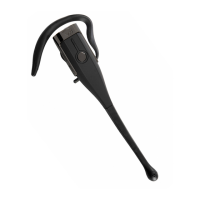
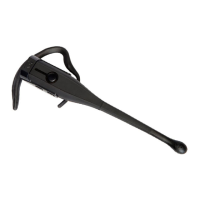
  • Wearing Styles: The headset comes with multiple wearing styles, including a headband, ear hook, and neckband. This allows users to choose the most comfortable and secure fit for their individual needs. Instructions are provided for attaching the ear bud to the ear hook, securing the ear hook to the headset, and positioning the microphone. Similarly, detailed steps are given for attaching the headset to the headband or neckband and adjusting them for optimal fit and microphone placement.
  • Connectivity and Configuration: The system provides clear instructions for connecting the base unit to power and to various types of phones. For standard office phones, it details connecting the base jack cable to the headset or handset port and then configuring the phone compatibility switch on the base. For office phones with EHS or L50 Lifter, specific connection steps are outlined, emphasizing the integration of these accessories for remote call control. For analog (home) phones, the manual describes connecting the base to a telephone wall jack via a line splitter.
  • Call Management: Users can place, answer, and end calls directly from the headset using the call control button. The mute function allows users to temporarily silence their microphone, with an audible beep in the headset every 15 seconds as a reminder. The system also supports answering a second incoming call, with specific steps for both EHS/L50 users and standard setups. For analog phones, there's a feature to put the current call on hold to answer a new one by pressing and holding the mute button. Switching a call between the headset and the phone's handset is also possible.
  • Volume Control: Earpiece volume can be adjusted using buttons on the headset. Microphone gain (speaking volume) and side tone (hearing one's own voice in the earpiece) can be adjusted using buttons on the side of the base unit, allowing for personalized audio levels.
  • Headset Pairing and Registration: The V175 headset is pre-registered to the base at the factory. However, for adding a second headset or re-pairing, the manual provides a step-by-step process for registering a headset to the base, including visual cues from the mute LED. It also explains how to deregister/unpair a headset from the base, which is necessary before registering it to a different base station.
  • Two Headset Operation: When two headsets are registered to the same base, either headset can be used to answer or join an active call. The call remains active as long as at least one headset is connected, ending only when both headsets disconnect or the external party hangs up.
  • Base Positioning: To minimize noise and interference, the base unit should be positioned at least 6 inches away from the desk phone and 12 inches away from any computer.

Maintenance Features

The VXi V175 includes several features and guidelines for maintenance and longevity:

  • Battery Installation and Charging: The manual provides clear instructions for installing the rechargeable lithium-ion battery in the headset, ensuring correct orientation and connection. It also details how to charge the headset by placing it in the base's charging cradle, with LED indicators (red for charging, blue for fully charged) to show the battery status. The battery is replaceable, and users are advised to use only VXi replacement batteries.
  • Cleaning: The headset should be cleaned with a slightly damp cloth, using only water or a mild soap on plastic parts. Liquid or aerosol cleaners are not recommended.
  • Battery Disposal: Important safety information emphasizes proper disposal of batteries, warning against burning or puncturing them due to the risk of releasing caustic material or explosion. Users are advised to check local codes for disposal instructions.
  • Energy-Saving Charging Mode: The system features an energy-saving charging mode that disables all headset functions except battery charging. This mode can be activated by a specific sequence of unplugging, pressing the pair button, and plugging in the power adapter. Deactivating this mode involves unplugging and replugging the power adapter, followed by re-registering the headset to the base. This feature helps conserve energy when the headset is not in active use.
  • Troubleshooting Registration: If headset registration is unsuccessful, the manual suggests repeating the process, resetting the headset by pressing the call control button, and power cycling the base unit.
  • Safety Information: The manual includes critical safety notes regarding prolonged exposure to high volume levels to prevent hearing damage, advising users to set the volume to the lowest comfortable level and to stop using the headset if they experience ringing in their ears or muffled voices. It also warns against ingesting small parts, using unauthorized power adapters, immersing the product in water, and exposing it to high temperatures.

VXI V175 Specifications

General IconGeneral
Control typeButtons
Headset typeMonaural
Product typeHeadset
Plug and PlayYes
Product colorBlack
Wearing styleEar-hook, Head-band, In-ear, Neck-band
Operating keysAnswer/end call, Mute, Volume +, Volume -
Volume controlButton
Control unit typeOn-ear control unit
Recommended usageOffice/Call center
Package depth184.2 mm
Package width114.3 mm
Package height133.4 mm
Package weight756.93 g
Quantity1
Battery typeBuilt-in battery
Charging sourceUSB
Microphone typeBoom
Sustainability certificatesCertified Enviro Cranberries (CEC), Federal Communications Commission (FCC), Industry Canada (IC), UL
Connectivity technologyWireless
Ear couplingIntraaural
Weight and Dimensions IconWeight and Dimensions
Weight26.65 g

Related product manuals