6.6 Clock setting
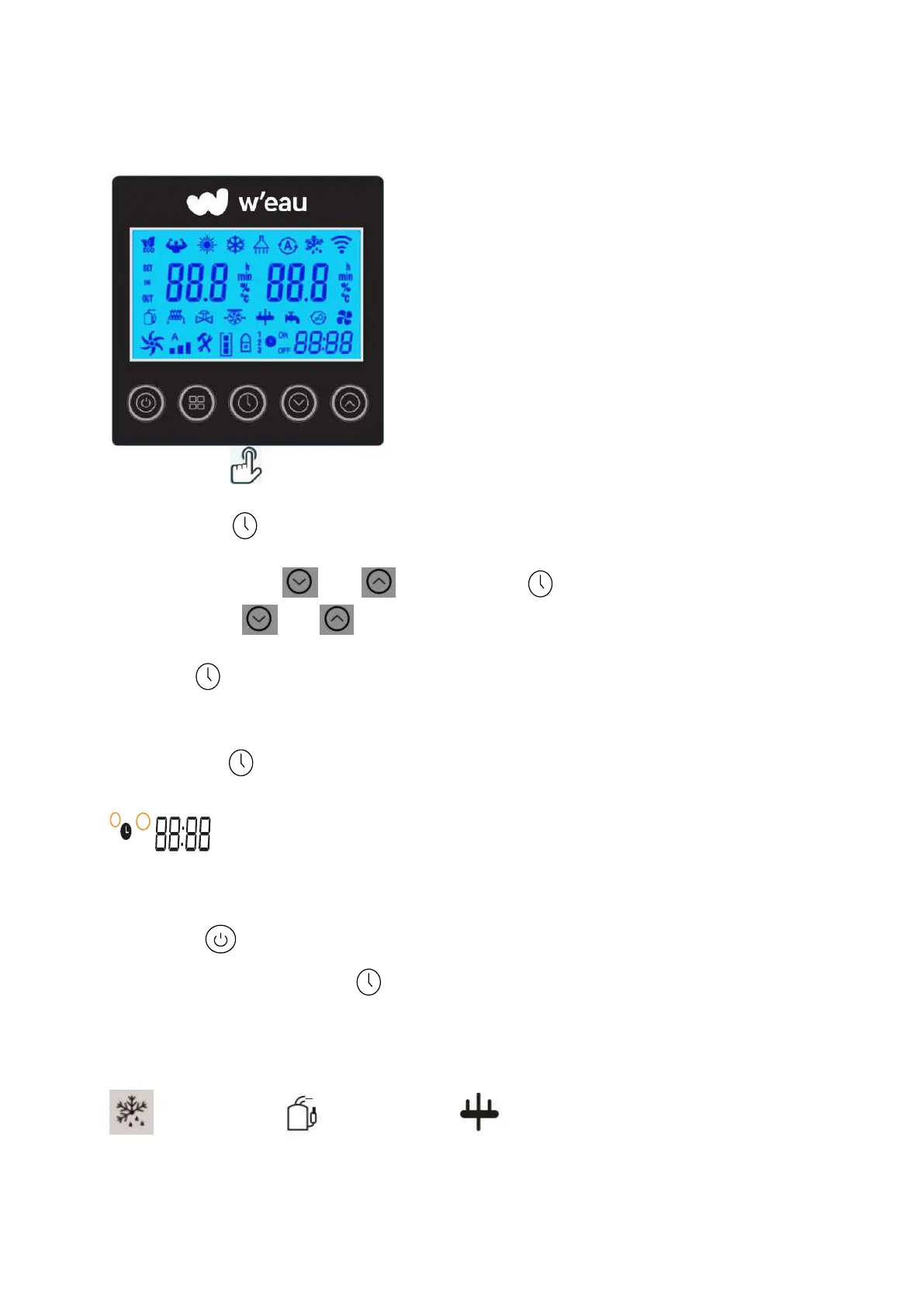
Press the button to enter the clock setting interface. Clock display on right bottom flashes.
Change the hours using and , then press again to go to minute setting, change the
minutes using the and .
Press again to confirm the setting and return to the main menu.
6.7 Timer setting
Hold the button for 3 seconds to enter the setting of Timer ON & Timer Off groups.
will flash, then set the Turn On and Off timer like the Clock setting.
Pay attention: There are 3 groups Timer for your every day setting.
You can press to save the current setting and go back to the main interface.
Cancel the Timer: Hold the button for 3 seconds to cancel all the timer setting.
6.8 Definition of other icons
: Defrosting :Compressor : 4-way valve



 To Next Page