26 - URDR001A - User manual
9.2 Memory card creation/update
A1C2
C1
A2 A3
TUN MAN REM
In order to save a parameter configuration in the memory card, connect it to
micro-USB connector and power the instrument. If the memory has never
been configured, the device starts normally, but if its data are considered
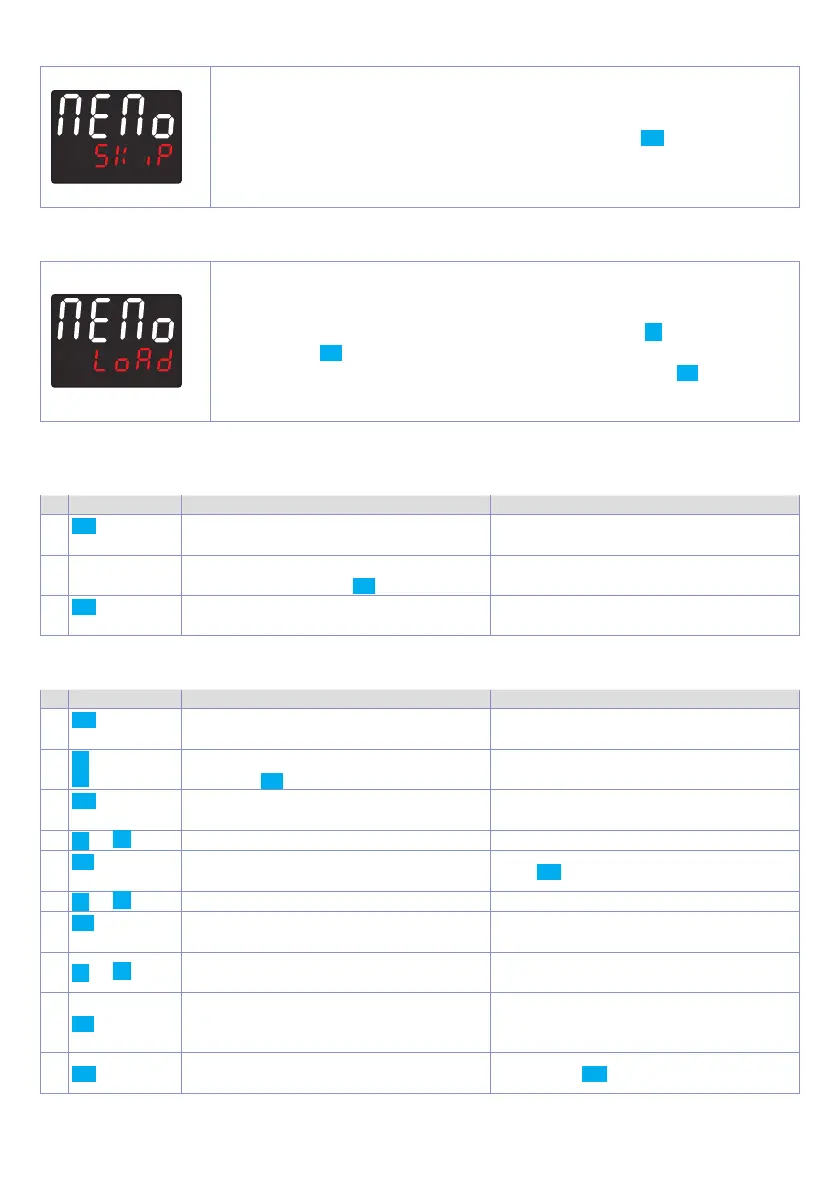
valid, it is possible to view on the display
memo
skip
. Press SET in order to start
the product without uploading any data from the memory card. Configure,
set the parameters and exit configuration. Now, the device saves the
configuration just created also in the memory.
9.3 Configuration loading from memory card
A1C2
C1
A2 A3
TUN MAN REM
In order to charge a configuration previously created and saved in the
memory card, connect it to the micro-USB connector and power the
instrument. Now, if the memory is detected and its data are considered valid,
it is possible to view on the display
memo
skip
. By pressing
you see Memo
Load
and with SET you confirm the uploading of parameters from the memory
card to the controller. If, on the other hand, you press directly SET, when
viewing
Memo
skip
, the product starts without uploading any data from the
memory card.
10 Loading default values
This procedure allows to restore factory settings of the device.
Press Display Do
1
FNC
for 3 sec
Display 1 shows
PASS.
, while display 2
shows
0000
with the 1st digit flashing.
2
c
or
d
Modify the flashing digit and move to
the next one pressing SET.
Enter password
9999.
3
FNC
to confirm
The device loads default settings and
restarts.
11 Access configuration
Press Display Do
1
FNC
for 3 sec.
Display 1 shows PASS,, while display 2
shows
0000
with the 1st digit flashing.
2
Modify flashing digit and move to next
digit with SET.
Enter password
1234.
3
FNC
to confirm
Display 1 shows the first parameters
group, display 2 shows the description.
4
or
Scroll parameters groups.
5
SET
to confirm
Display 1 shows the first parameter of
the group and display 2 shows its value.
Press FNC to exit configuration.
6
or
Scroll parameters.
7
SET
to confirm
Allows parameter modification (display
2 flashes)
8
or
Increases or decreases
visualized value
Introduce new data
9
SET
Confirms and stores the new value.
If the value is different from default
values, the arrow keys light on.
10
FNC
Backs to parameter groups selection
(see point 3).
Press again FNC to exit configuration


 To Next Page