22
3. Unpacking and checking the device
1. Carefully unpack the scope of delivery.
2. Check whether the scope of delivery is complete:
• Remotecontrol„Excellence“
3. Check whether the scope of delivery is free of damage.
NOTE
If the scope of delivery is incomplete or damaged, please contact
info@walimexpro.de or call our service hotline under the number
+49 8432 9489-0.
Within the scope of product improvements we reserve the right for
technical and optical changes.
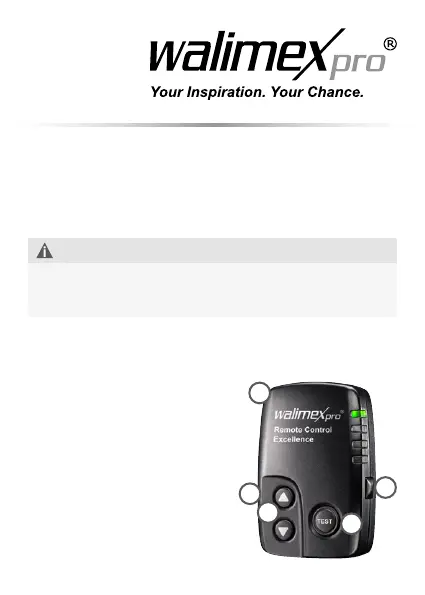
4. Overview of components and control elements
1 Transmitter
2 Power setting
3 Sync socket
4 Test button
5 Group setting button
1
2
5
4
3


 To Next Page