29
Pro Dry Instruction Manual | Walker Filtration | www.walkerltration.com
Section 6: Maintenance
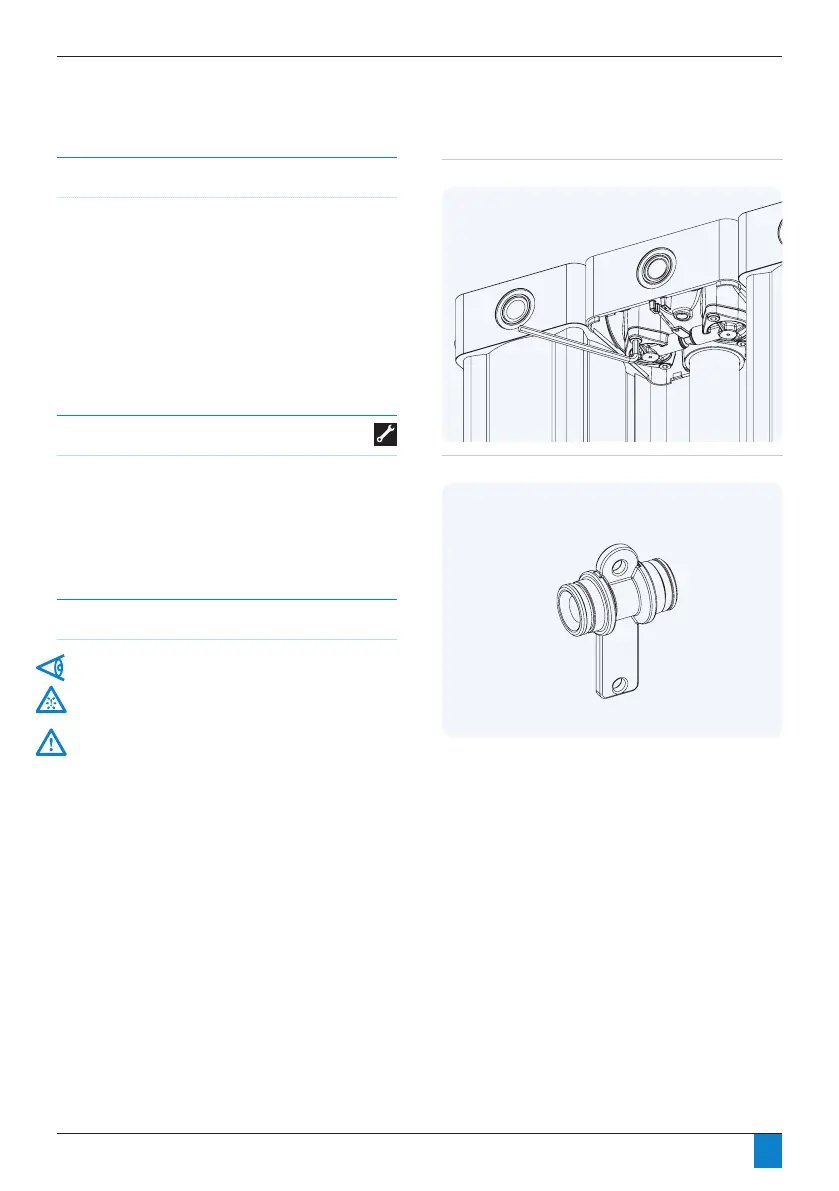
Figure 6.13: PD045 - PD365 Purge plug changeout stage 1
Purge Plug Removal
Models PD045 – PD365 only
• Remove dryer front panel.
• Removexingscrewsfromoneofthebonnetsholding
thepurgeorice.
• Remove purge plug from remaining bonnet.
Tools required
• 6mm hex key
Figure 6.14: PD045 - PD365 Purge plug change out stage 2
Important information
Ensure shutdown and start-up procedures are followed prior
to carrying out any maintenance work on the dryer.
Walker Filtration will not accept responsibility for physical
injury, damage or delays caused by failure to observe the
instructions in this manual and manuals provided with your
equipment.


 To Next Page