Maintenance Instructions CLEANING
46
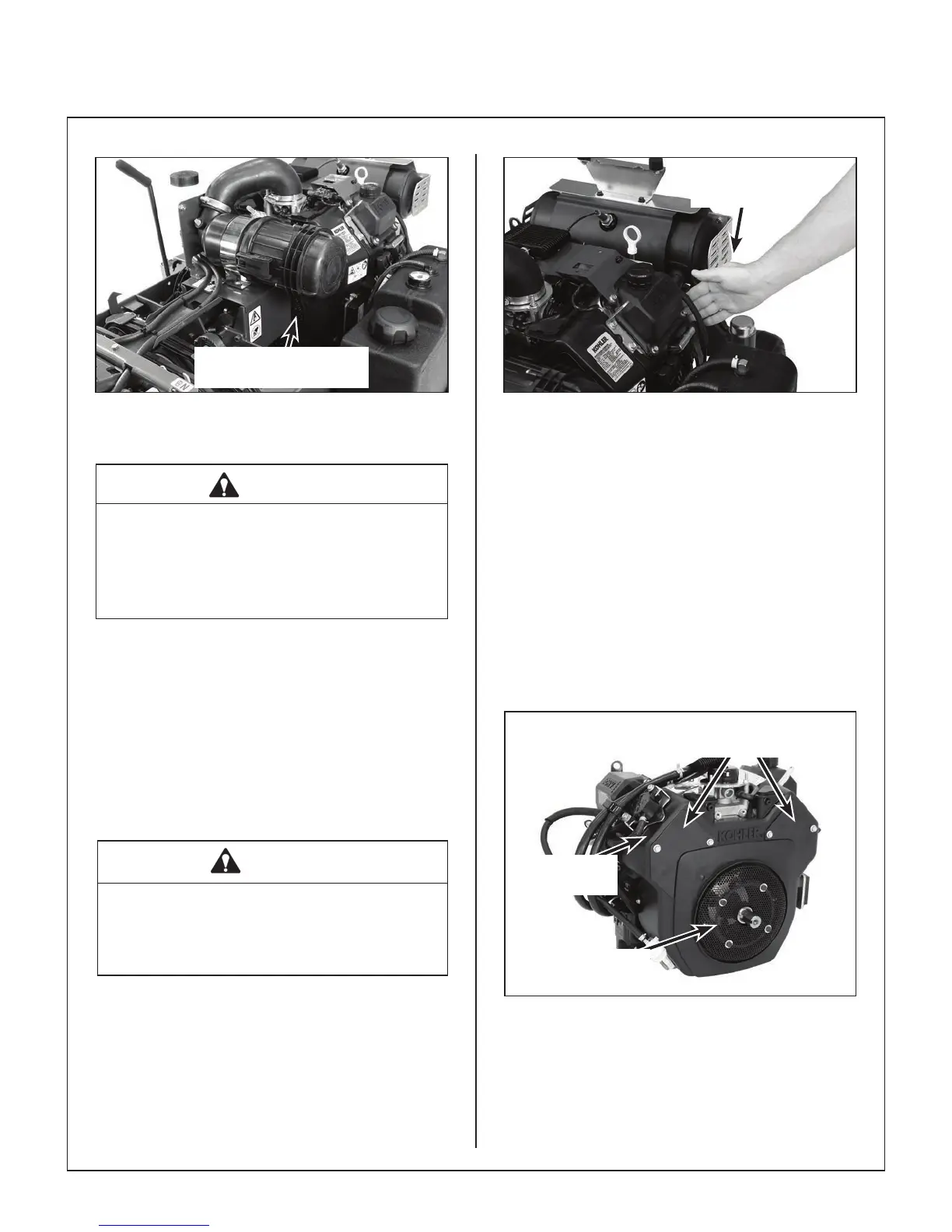
Rotating Engine Cooling
Air Intake Screen
Keep Rotating Engine Cooling
Air Intake Screen Clean
CAUTION
Operating the engine with a blocked air in-
take screen, dirty or plugged cooling ns,
and/or cooling shrouds removed will cause
engine damage from overheating.
Cylinder Head Cooling Fins
It is essential for performance and longevity of the
air-cooled engine to keep the cylinder head cooling
fins clean and free of obstruction. After every 8
hours of operation, check the performance of the
cooling system by starting the engine, holding a
hand adjacent to the cylinder head, and feeling the
cooling airflow. If there is little or no airflow, clean
the cooling fins as follows:
DANGER
Make sure to keep hands clear of exhaust
pipe, mufer, and moving parts when
checking airow.
Check Airflow
with Hand
Cooling System Airow
Every 100 hours, inspect and clean the cooling fins
(more often when operating in extremely dusty, dirty
conditions). Remove the two (2) cooling fin access
panels in the engine shroud and clean the cooling
fins and external surfaces using compressed air.
Make sure to reinstall the access panels before
oper ating the engine.
IMPORTANT: Yearly, it is good maintenance prac-
tice to remove the engine cooling shroud and clean
the cylinder head cooling fins thoroughly to prevent
overheating and extend engine life. Make sure cool-
ing shroud is reinstalled properly. This procedure
will require removing the engine from the chassis.
Engine Cooling
Fin Access Panels
Kohler Engine
Shroud
Engine Air
Intake Screen
Engine Air Intake Screen
and Cooling Fin Access Panels


 To Next Page