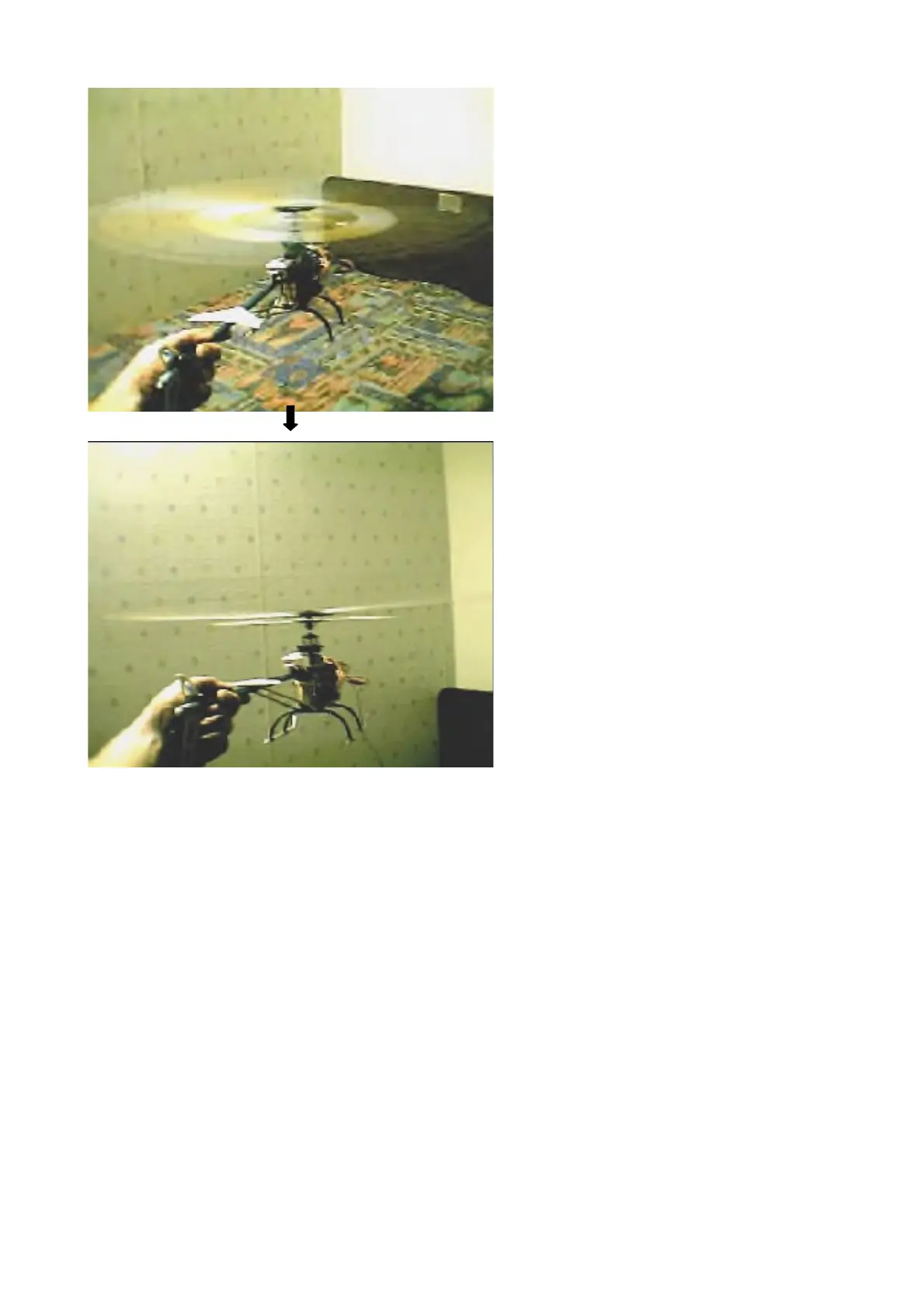
Relax your arm, but not the grip on the tube. Bring the throttle up slowly, is there any shaking you see
or feel in your hand? If so, the blades are not tracking. Shutdown and make adjustments. Now start
again, bring the throttle up more to the point where it lifts off the surface. Note WHERE on the throttle
this occurs. You can count the detent “clicks” up from idle instead of looking, but you must know
where on the throttle liftoff occurs. By default, they set it way above half throttle. It's too sensitive there
to hover, so we want to increase the pitch on the blades at the blade holders. (or PZT if you decide to
turn #8 off)
Unscrew BOTH blade holder ball links a half turn and reconnect. If the tracking was low on the blue
blade, raise (unscrew) that one a half turn more. Remember that your link is to the leading edge of the
blade holder, so make sure you're turning the correct ball link with reference to the correct blade. At
this point though, you should have them well tracked. Notice that one will look a touch higher, like a
speedbump (arrow) almost, but it is tracked. When it isn't tracked though, you really will see 2 lines
distinctly outlined around the outer circumference. This is easier to do in sunlight by the way.


 To Next Page