3
10 WALKERA V450D01 FLYBARLESS SYSTEM SETTING RX2702V
10.5 FLYBARLESS SYSTEM SETTING
CAUTION: Unplug the wires connecting the ESC to the main motor to avoid the accidental movement of the
main rotor. Reconnect when set-up is complete.
Prior to this section it is recommended to make a copy of the settings in your 2801 transmitter and
setting one pitch curve to the following: 0 – 50 – 50 – 50 – 100. This helps in setting min – mid – max
pitch settings.
Set all TRIMS and SUBTRIMS to neutral positions before binding or re-bind after setting neutrals.
10.5.1 SWASHPLATE MECHANICAL TRAVEL AND NEUTRAL POINT SETUP
Step 1: Enter ‘SET-UP’ mode
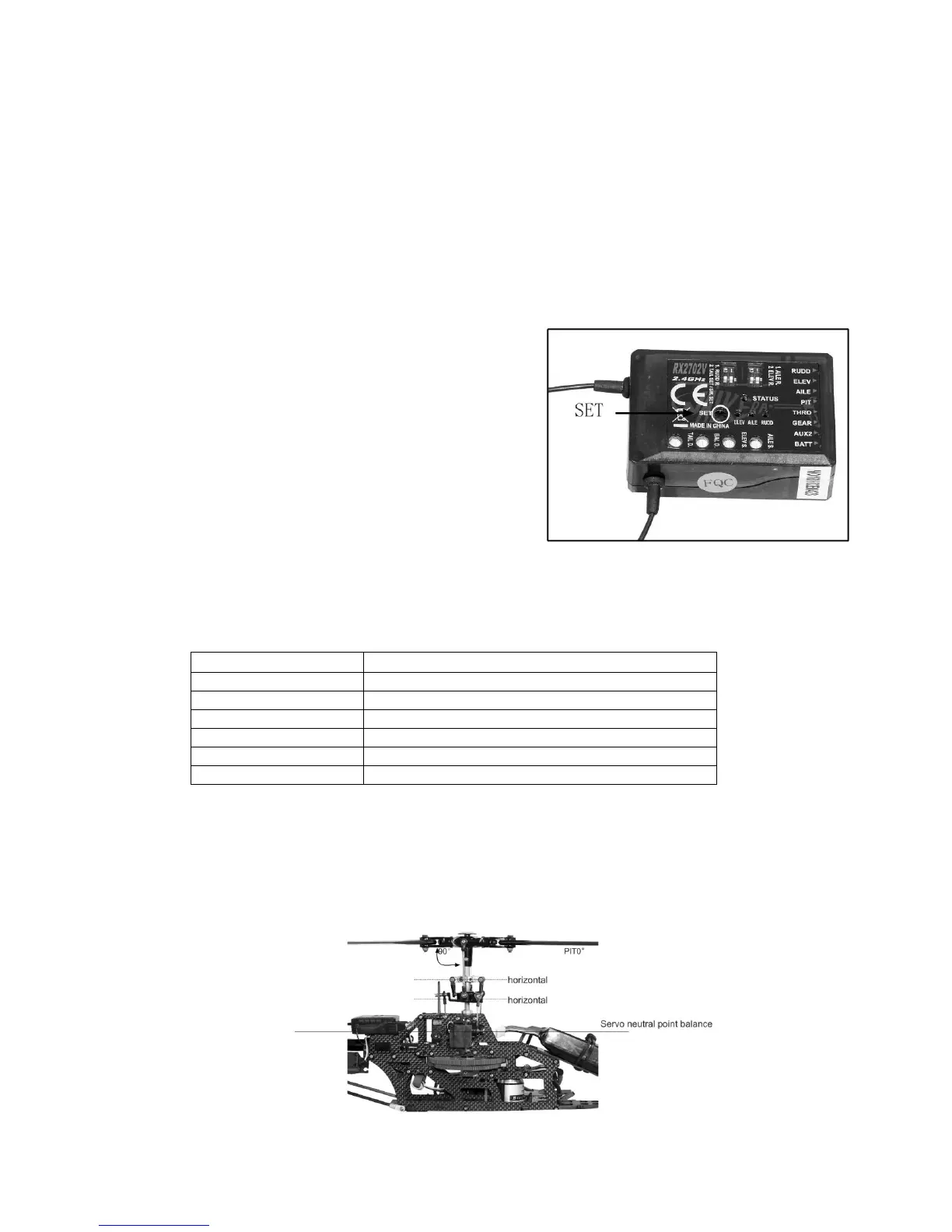
Connect the battery to the ESC as normal and wait for
the TX/RX to bind. Move the small rudder/swashplate
DIP switch to “SW.SET” position. Press the “SET”
button until the STATUS LED flashes RED.
The RX is now in mechanical travel and neutral point
set-up mode.
Step 2: Swashplate functional check
Check if the swashplate moves in the correct directions when using ELEV, AILE and PIT controls.
Normal movements are:
Step 3: Mechanical neutral setting
Servo and main blade pitch neutral point set-up
CAUTION: This step is very important to the correct set-up of the helicopter. If the neutral point is set
incorrectly it will not only affect the flight stability but may cause a complete loss of control and
personal injury.


 To Next Page