5
Step 3: Swashplate aileron travel setting
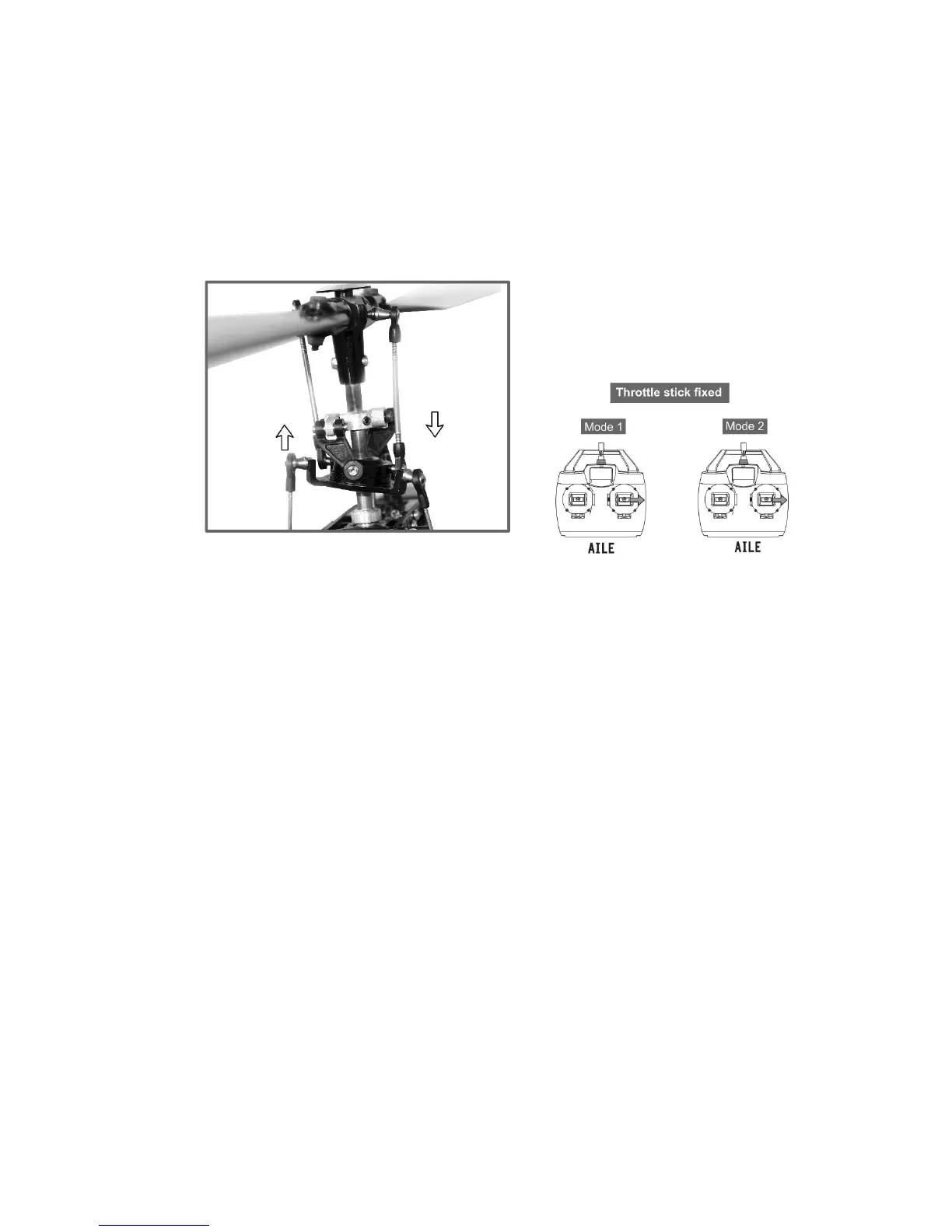
With the AILE LED flashing GREEN the receiver is ready to accept the maximum limit of AILE input.
Without moving any of the other controls push the aileron control stick of the transmitter to the far
right position, while keeping max AILE, press the “SET” button to confirm the extent. The receiver
calculates the usable travel of right and left.
The STATUS LED remains RED; the ELEV & AILE LEDs flash together twice and turn off. The swashplate
will hop up and down three times horizontal and level.
Release the AILE stick and return it to the neutral position.


 To Next Page