EasyManua.ls Logo

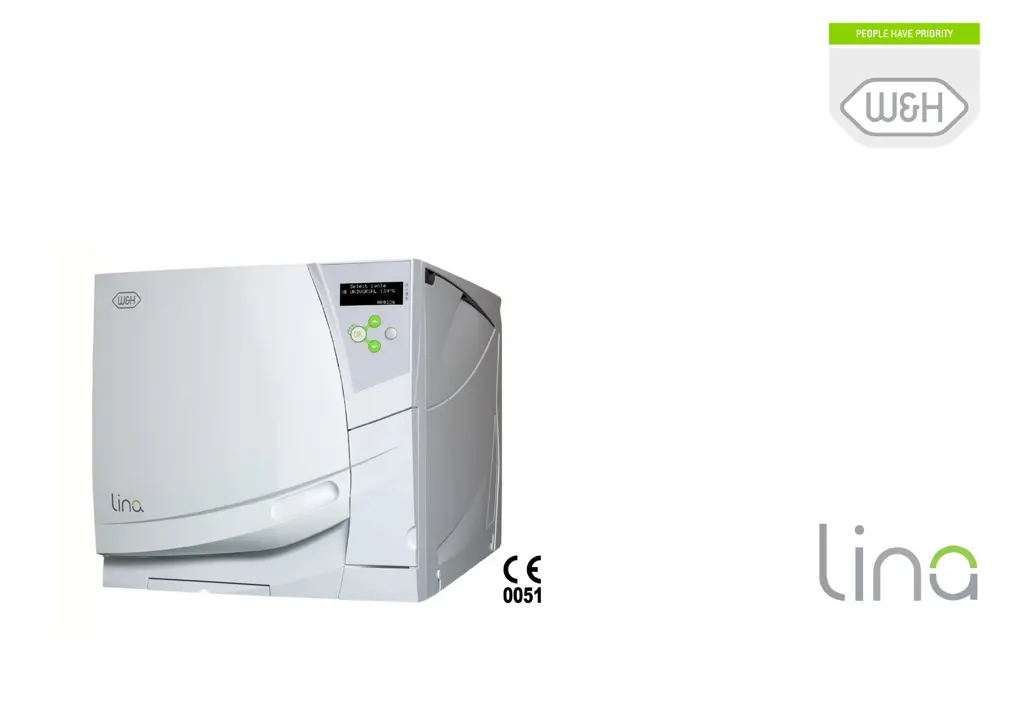
W&H LINA MB17 - User Manual

W&H LINA MB17
76 pages
Print Icon
To Next Page IconTo Next Page
Loading...
LINA MB 201 11 ENG - Rev. 3.1
Posizione logo
Instructions for use
Instructions for useInstructions for use
Instructions for use
MB17 / MB22

Questions and Answers

  • V
    valeriewalshAug 17, 2025
    How to prevent corrosion on instruments in W&H Medical Equipment?
    • K
      Keith OrozcoAug 18, 2025
      To prevent corrosion or spots on instruments when using W&H Medical Equipment, ensure instruments are dry before sterilization. Use high-quality water, free from chemical substances, and drain both water tanks regularly. Clean, rinse, and dry instruments to remove organic or chemical residues. Avoid contact between instruments made of different materials like aluminum, carbon, or stainless steel. Clean the chamber to remove any scale deposits and use good quality water.
  • D
    David GarrettAug 20, 2025
    What to do if there is residual water in W&H Medical Equipment chamber after cycle?
    • A
      ashleyguzmanAug 20, 2025
      If you find residual water in the chamber of your W&H Medical Equipment after a cycle, ensure the sterilizer is properly leveled. Avoid overloading the chamber, and always use the chamber rack for trays and cassettes to comply with maximum load weight limits. Also, check if the chamber filter is clogged and clean it if necessary. Make sure the load is correctly placed following the recommendations.
  • K
    Kathleen SimmonsAug 22, 2025
    How to turn on W&H LINA MB17 Medical Equipment sterilizer?
    • J
      Jillian HowardAug 22, 2025
      If your W&H Medical Equipment sterilizer remains switched OFF, first check if the main switch or network circuit breaker is OFF and activate it. Then, verify if there is voltage at the socket and check the electric circuit. Finally, ensure the mains cable is properly connected.
  • T
    Thomas TaylorAug 25, 2025
    Why is W&H Medical Equipment sterilizer leaking water from the front?
    • M
      Mr. Anthony Carpenter PhDAug 26, 2025
      If water is leaking at the front of your W&H Medical Equipment sterilizer, it might be leaking through the chamber door seal. Try cleaning or replacing the door seal and clean the chamber face side. If the leak persists, it could be an internal leak.
  • C
    cfrenchAug 27, 2025
    What to do if W&H Medical Equipment door re-opens immediately after locking?
    • A
      Andrew MccartyAug 28, 2025
      If the chamber door of your W&H Medical Equipment locks but re-opens immediately with an 'Open the door' message, ensure the door seal is evenly inserted. Avoid pressing the OK button twice when starting the cycle, and check for any objects interfering with the door or the load.
  • A
    Alyssa SmithAug 30, 2025
    Why is W&H LINA MB17 cycle report printer not working?
    • Z
      Zachary GrayAug 30, 2025
      If the cycle report printer for your W&H Medical Equipment is not working, check the data and power connections to the printer. If the printer is connected directly, configure the serial port to 'Printer'. If connected via PC/Logger, configure the serial port to 'PC/Logger'. If a cycle is in progress with automatic report printing enabled, the printout will be queued, but only up to 5 cycles.
  • C
    Christian MillerSep 1, 2025
    Why is there no pressure or temperature rise in W&H LINA MB17 Medical Equipment?
    • R
      robinsoncarmenSep 1, 2025
      If the cycle commences on your W&H Medical Equipment but there is no pressure or temperature rise, the thermal overload switch may be open. Reset the thermal overload switch.
  • I
    Ian MoodySep 4, 2025
    What to do if W&H LINA MB17 door won't open after cycle?
    • S
      Sarah NicholsSep 4, 2025
      If the display of your W&H Medical Equipment reads 'Open the door' but you cannot open it, switch the sterilizer OFF to release any internal pressures. If the problem persists, it could be due to a blocked bacteriological filter; remove it to release the pressure and then replace it. Note that bacteriological filters need to be replaced every 400 cycles.
  • F
    franklin58Sep 6, 2025
    Why is W&H LINA MB17 Medical Equipment not filling water tank automatically?
    • G
      Gabriela GarciaSep 6, 2025
      If your W&H Medical Equipment is connected to an automated water supply system and there is no clean water in the tank, verify that the water fill system is installed, connected, and enabled in the 'Configuration' sub-menu. If water was temporarily unavailable when the system attempted to fill the tank, switch the sterilizer OFF and then ON again. Check the external water supply system and inspect for water leaks from the sterilizer.
  • W
    Wendy ParksSep 9, 2025
    Why are instruments turning brown in W&H LINA MB17 Medical Equipment?
    • G
      Gerald GallagherSep 9, 2025
      If instruments are turning brown or black in your W&H Medical Equipment, the incorrect temperature may have been selected. Choose a sterilization cycle with a lower sterilization temperature, following the instrument manufacturer's instructions.

Summary

Instructions for Use

1. Introduction

User Safety and Product Information

Covers safety, intended use, and manual details.

3. Safety Advice

General Safety Precautions

Lists essential safety rules for operating the sterilizer.

4. Installation and Start-up

Placement and Electrical Connection

Guides on sterilizer placement and electrical connection requirements.

Controls and Commands

Front, Service, and Rear Views

Identifies controls and connections on the front, service, and rear panels.

Display and Icons

Understanding Display Elements and Icons

Explains the sterilizer's display screen layout and icons.

Control Buttons

Button Functions and Operation

Details the functions of navigation buttons and the ECO-B option.

5. Programming

Initial Setup and Menu Navigation

Guides through initial parameter setup and menu system usage.

6. Running a Sterilization Cycle

Cycle Selection and Activation

Steps for selecting and initiating sterilization cycles.

Available Sterilization Cycles

Cycle Types and Applications

Descriptions of B UNIVERSAL and B PRION cycles and their uses.

The ECO-B Option

ECO-B Cycle Loading Guidelines

Specific loading instructions for ECO-B cycles.

Delayed Start Options

Setting Delayed Cycle Start Times

How to schedule cycles to start at a future time or after an interval.

Customizing Cycle Parameters

Adjusting Drying and Plateau Settings

Guides on modifying drying time and plateau phase parameters.

Cycle in Progress Monitoring

Display Information During Cycle Operation

Details the real-time status displayed during a cycle.

Manual Cycle Abort

End of Sterilization Cycle

Cycle Completion and Door Unlocking

Steps for a successful cycle completion and unlocking the chamber door.

7. Maintenance

Maintenance Schedule and Counters

Overview of the maintenance program and tracking consumable usage.

Monthly or 50-Cycle Maintenance

Cleaning Chamber Seals and Accessories

Procedures for cleaning door seals, chamber, trays, and rack.

3-Month or 400-Cycle Maintenance

Replacing Bacteriological and Dust Filters

Step-by-step guide for replacing essential filters.

6-Month or 800-Cycle Maintenance

Cleaning Water Tanks and Filters

Instructions for cleaning the internal water tanks and filters.

1-Year or 800-Cycle Maintenance

Replacing the Door Seal

Detailed procedure for replacing the door seal.

4000 Cycle; 5-Year General Service

Resetting Maintenance Counters

8. Troubleshooting, Alarms, and Messages

Accessing and Resolving Messages

How to view and address pending messages and warnings displayed.

Alarm Code Reference

General Troubleshooting Guide

Problem Diagnosis and Solutions

Lists common operational problems, their causes, and recommended solutions.

9. Recycling and Disposal

Environmentally Sound Disposal Procedures

Guidelines for responsible disposal of the sterilizer and consumables.

Appendix 2: Dental Handpiece Maintenance

Handpiece Preparation for Sterilization

Procedures for cleaning, disinfecting, and lubricating dental handpieces.

Appendix 3: Sterilization Load Preparation

Instrument Preparation and Tray Loading

Best practices for cleaning instruments and loading trays for effective sterilization.

Loading the Sterilizer Chamber

Proper Loading of Tubes and Wrapped Items

Specific methods for loading tubes and bagged items into the chamber rack.

Appendix 4: Bowie and Dick Test

Performing the Bowie & Dick Test

Instructions for conducting the test to validate textile load sterilization.

Appendix 5: Helix Test

Performing the Helix Test

Procedure for testing hollow item sterilization effectiveness.

Appendix 6: Vacuum Test

Executing the Vacuum Test

Steps for performing the vacuum test to assess pump and circuit integrity.

Appendix 7: Water Quality Requirements

Sterilizer Accessories

Printers for Cycle Reports and Labels

Information on S'Print and LisaSafe printers and their functionalities.

Consumable Parts Information

Key Consumables: Filters, Seals, and Kits

Details on bacteriological filters, door seals, dust filters, and consumable kits.

Authorized Service Partners

Manufacturer and Certification Details

W&H LINA MB17 Specifications

General IconGeneral
BrandW&H
ModelLINA MB17
CategoryMedical Equipment
LanguageEnglish

Related product manuals