IP Camera W2(1080P)/W3(720P)
18
2.6.2
User Seng/Management
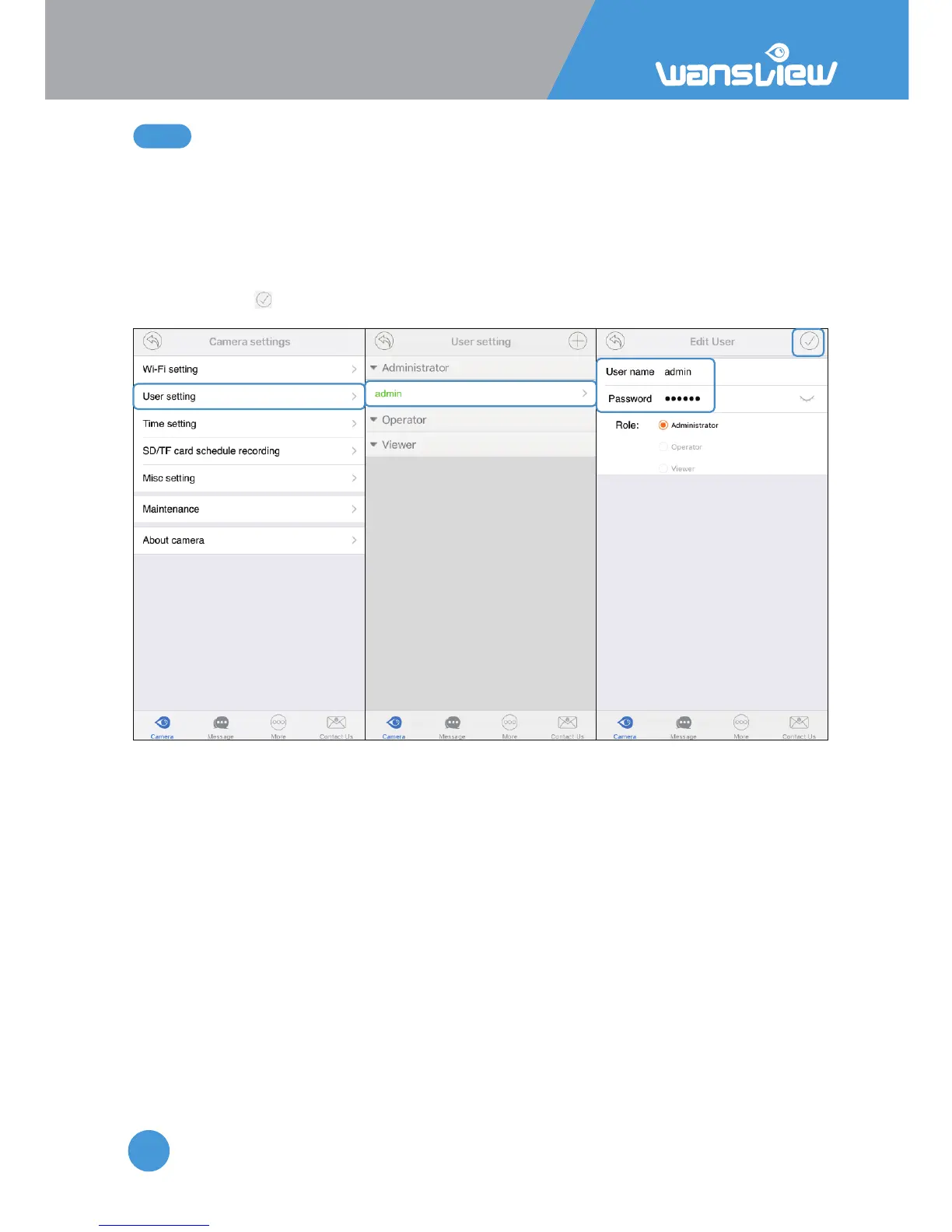
Under the User Seng/Management, user can change the default username(admin) and
password (123456), or create another user account with certain access rights, such as an
Operator or Viewer account for other person to view the camera.
Change Username and password:
Tap User Seng, and choose Administrator>Admin, user can change the username and
password, then .



 To Next Page