IP Camera W2(1080P)/W3(720P)
28
3.2.3
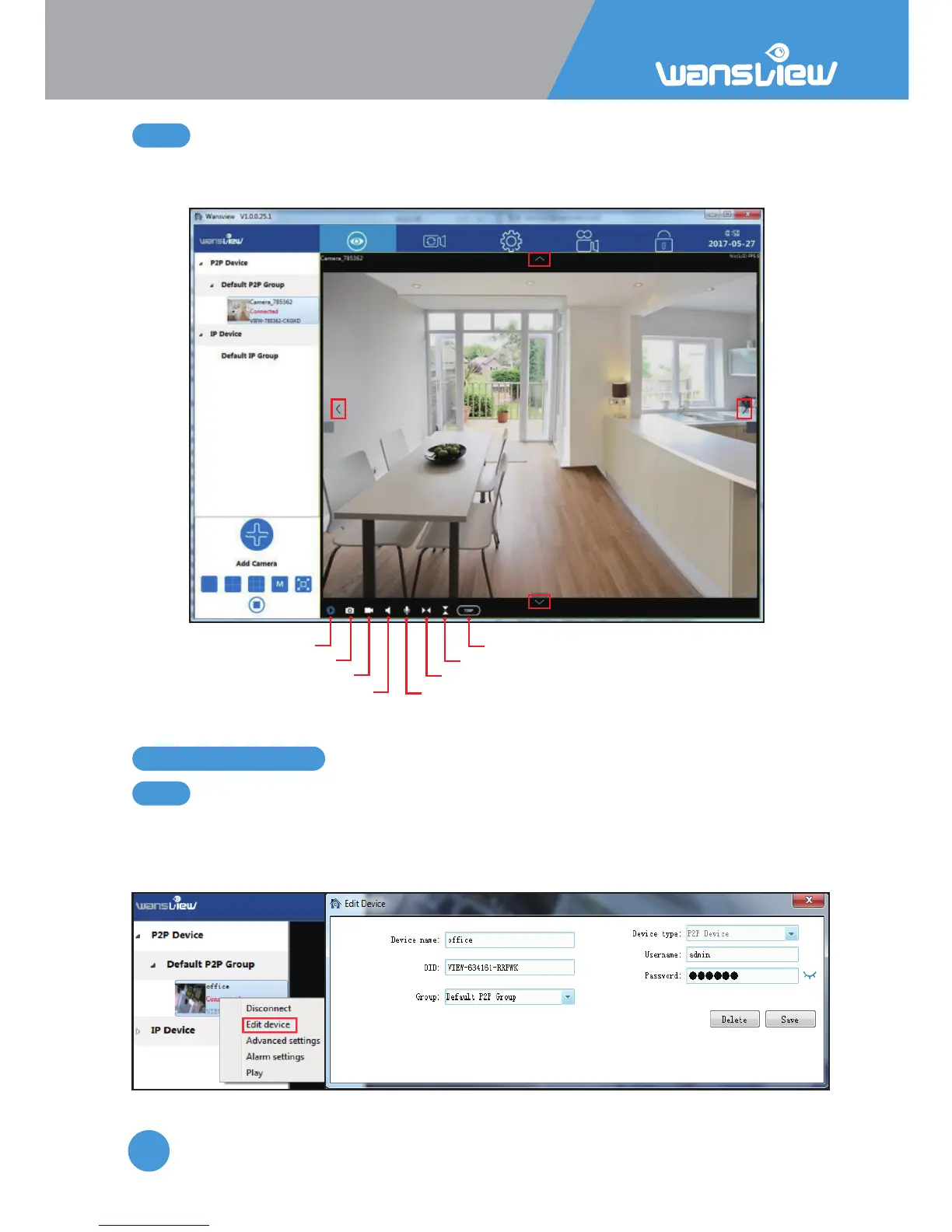
Video Interface
3.3.1
Edit Device
3.3 Camera Sengs
Right-click the camera info and select”Edit Device”, here can change the Device Name and
Group; and edit the username and password if input wrong or changed; delete the device
or Save the parameters you have edited.
Aenon: Resoluon cannot be adjusted during recording, user needs to stop the
recording, then switch the resoluon.
Play/stop
Snap
Record
Listen Talk
Mirror
Flip
Resoluon
up
down
le right



 To Next Page