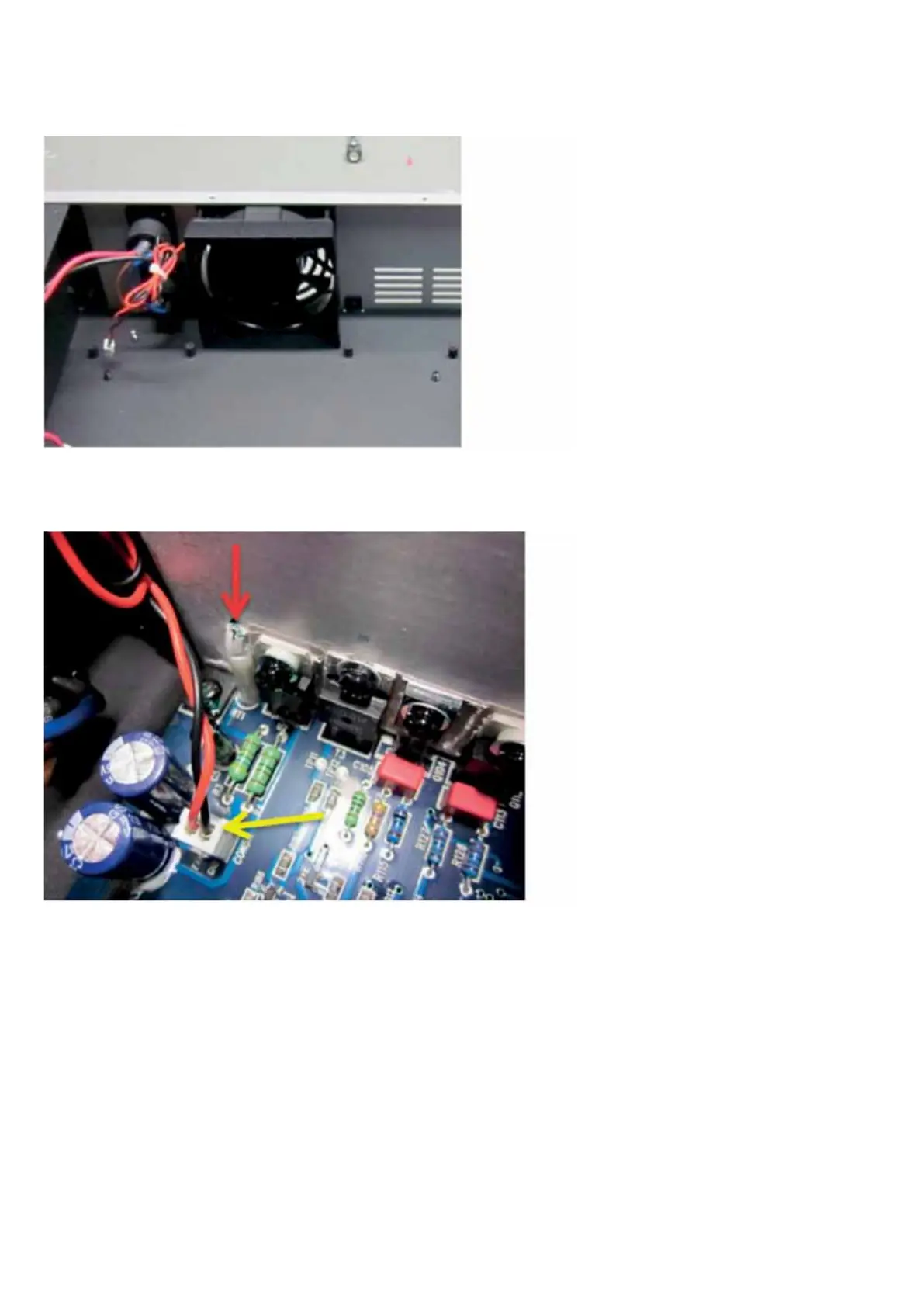
5. FAN test
1. Connect power supply and transformer.
2. Connect power cable, turn on power.
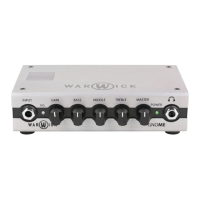
3. Use hot air gun to heat temperature
sensor marked on red. After few seconds
you should hear FAN speeding up.
CAUTION! It is not recommended to use
solder iron in that test, it can damage
temperature sensor, use only hot air.
4. If FAN doesn’t work then disconnect
connector marked on yellow and measu-
re DC voltage on connector. It should
increase from 7V (sensor is cold) to 23V
when sensor is heated. If that’s correct
then you should exchange FAN. If there
no voltage on connector or voltage values
are different than 7V and 23V then power
amp with power supply board is dama-
ged and needs to be exchange.
Necessary tools: hot air gun, voltmeter


 To Next Page