Page 5
*The look of the settings page may vary depending on different devices and
platforms.
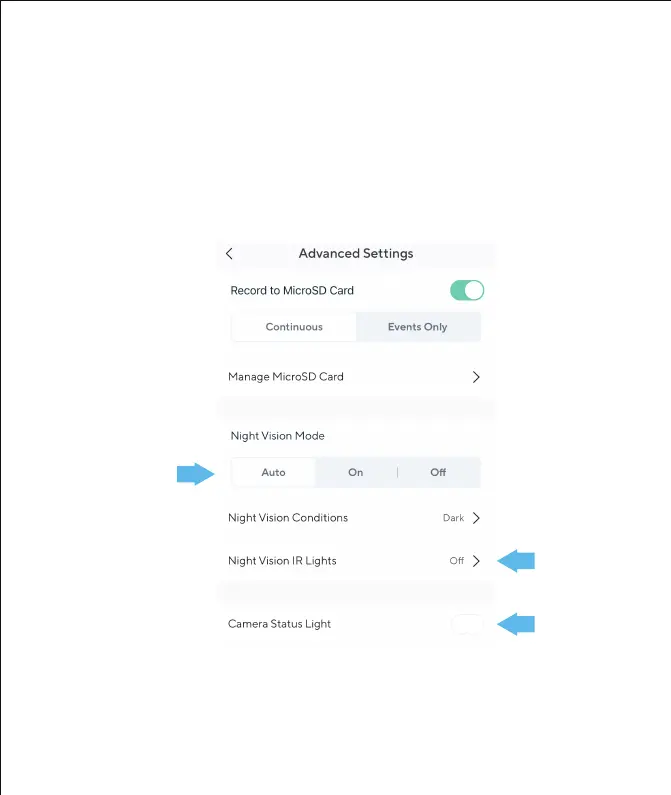
4. Go to the camera settings from the Wyze app (tap the gear icon at the top
right). Then go the the "Advance Settings" page and change the following
settings:
• Night vision mode: Auto
• Night vision IR light: Off
• Camera Status light: Off



 To Next Page