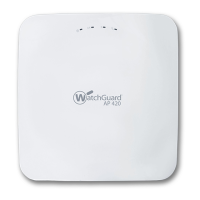
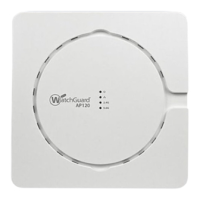
2 WatchGuard AP320
Hardware Specifications
About Your Hardware
Hardware Specifications
Environmental Requirements
To safely install your WatchGuard AP device, we recommend that you:
Install the device indoors.
Make sure the device has adequate clearance for air flow and cooling.
Connect it to a surge-protected power supply to prevent damage from sudden power changes
Other environmental requirements:
AP320
Radio Type and
Frequency Band
2.4GHz, 802.11b/g/n. Max data rate: 450 Mbps
5GHz, 802.11a/n/ac. Max data rate: 1.3 Gbps
Antenna Six integrated omnidirectional antennas
Ethernet interface 1 x 10/100/1000 Mbps Gigabit Ethernet (LAN1)
802.3af PoE, PoE input voltage: 48V
1 x 10/100/1000 Mbps Gigabit Ethernet (LAN2)
1 x RJ45 serial console, RS 232 Serial
Bits per second: 115200
Data Bits: 8, Stop Bits: 1
Parity: None, Flow Control: None
USB Port 1 USB port (Not in use)
Power Interface PoE: DC48v (802.3af)
DC jack (12V DC input)
Dimensions 177mm × 155mm × 42mm
Weight 0.82 lb. (0.37 kg)
Operating temperature 0°C to 40°C (32°F to 104°F)
Operating relative humidity 5% to 95% non-condensing
Non-operating temperature -40°C to 70°C (-40°F to 158°F)
Non-operating relative humidity 5% to 95% non-condensing


 To Next Page