Hardware Guide 3
Hardware Specifications
Hardware Description
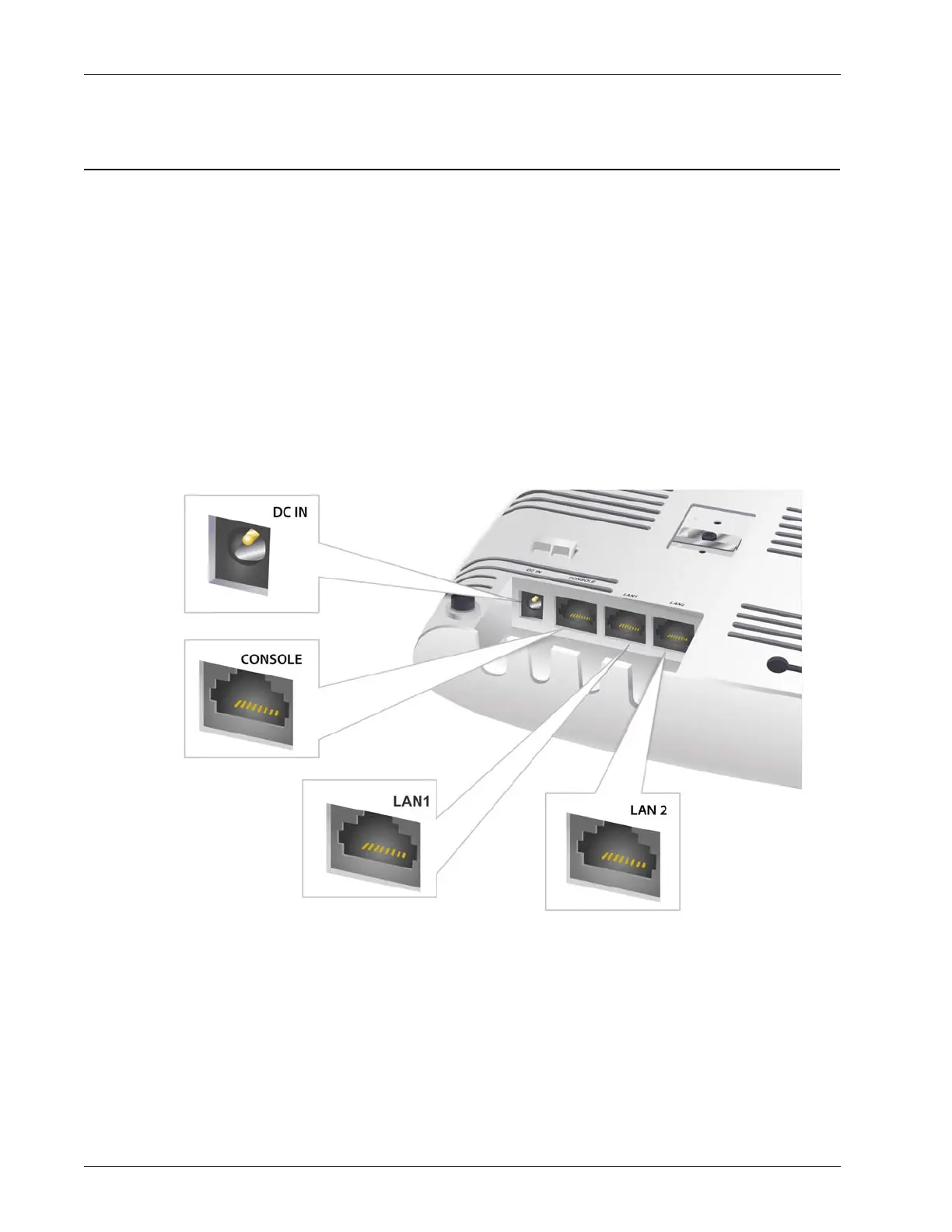
Device Connections and Buttons
Ethernet Network Interfaces
LAN1: Standard RJ45 connector that supports link speeds of 10/100/1000 Mbps and PoE connectivity.
LAN2: Standard RJ45 connector that supports link speeds of 10/100/1000 Mbps. Can be used for
advanced AP features.
CONSOLE: Standard RJ45 connector for serial console access.
Power Input
The WatchGuard AP320 can be powered by an 802.3af PoE of nominal input voltage 48v DC on the
LAN1 interface.
You can also power the device with an optional AC power adapter. Make sure you use only an AC
power adapter supported by the AP320 device.


 To Next Page