5
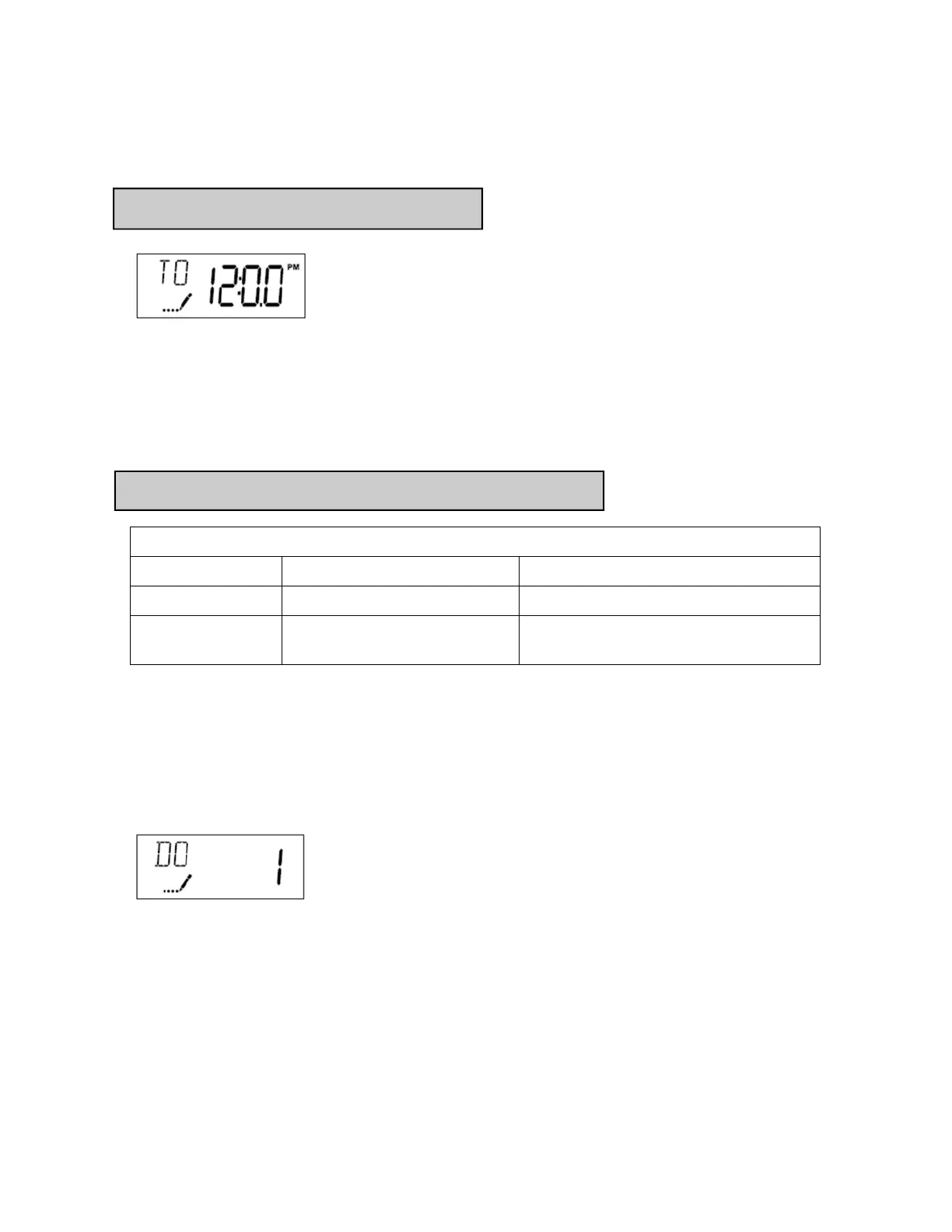
Setting current time of day
User programming
User Programming Mode Steps (Refer to chart above for user mode indications)
1. Press and hold the Up and Down buttons simultaneously for five seconds while valve is in
service. Display will enter programming mode. (Note: Timer will discard any changes and
exit programming mode if any button is not pressed for sixty seconds.
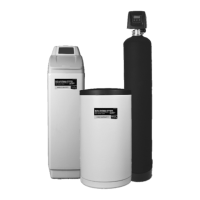
2. Set Day Override: This setting specifies the maximum number of days between regenera-
tion/backwash cycles. System will regenerate regardless of usage if the days since last regen-
eration cycle equals the day override setting. This ensures regular regeneration periods. The
pre-programmed factory recommended setting is 1 day.
Always consult WCC before making any changes to this setpoint.
Setting Current Time / Day
1. Press either the Up or Down buttons to adjust current time of day by one digit. Push and
hold either up or down set button to adjust current time of day display by several digits.
Ensure the AM/PM setting matches the current time of day.
Start-Up Procedure
User Programming Mode Options
Abbreviation Parameter Description
DO Day Override The timer’s day override setting
RT Regeneration/Backwash Time The time of day that the system will
regenerate/backwash.


 To Next Page