
EasyManua.ls Logo

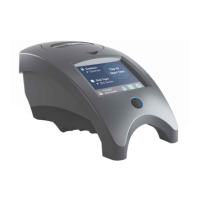
WaterLink Spin Touch User Manual

WaterLink Spin Touch
47 pages
To Next Page IconTo Next Page
Page #1 background imageLoading...
Page #1 background image
For Codes/ Para los códigos / Pour les codes 3580/3581/3582
The Future of Water Testing
El futuro del análisis del agua
L’avenir de l’analyse de l’eau
Touch
WaterLink
nSp
®
www.GlobalTestSupply.com
Find Quality Products Online at: sales@GlobalTestSupply.com

Questions and Answers:

WaterLink Spin Touch Specifications

General IconGeneral
Measurement MethodPhotometric
DisplayColor Touchscreen
Power SupplyRechargeable Battery
Sample TypeWater
Test Time60 seconds
AccuracyVaries by Parameter
ResolutionVaries by Parameter
Sample Volume10 ml
ConnectivityUSB, Bluetooth
Parameters MeasuredpH
Measurement RangeVaries by Parameter

Summary

SETUP

BEFORE FIRST USE

Steps to prepare the device before initial operation.

CHARGE THE BATTERY

Instructions for charging the device's battery.

FIRMWARE UPDATES

Process for updating the device's firmware.

PC CONNECTION

Details on connecting the device to a PC.

DEVICE CONNECTION

CONNECTING VIA USB

How to connect the device to a PC using a USB cable.

CONNECTING VIA BLUETOOTH

How to connect the device to mobile devices via Bluetooth.

FILLING: Single-Use Disks

FILLING: Multiple-Use Disks

GENERAL OPERATING PROCEDURES

METER

How the meter operates during a test cycle.

TOUCHSCREEN DISPLAY

Explanation of the meter's touchscreen interface.

TESTING

Step-by-step guide for performing a water test.

SAVE, PRINT, AND SEND TEST RESULTS

How to manage and transfer test results.

Print or Send Results to a Bluetooth Phone or Tablet

Methods for transmitting results via Bluetooth.

REAGENT DISK

Information about the disk reagent system.

DISK HANDLING

Proper procedures for handling reagent disks.

DISK COVER

Instructions for using the disk cover.

SETTINGS

Accessing and configuring device settings like brightness, date/time, language, calibration, power, Bluetooth, and market type.

TROUBLESHOOTING GUIDE

TROUBLESHOOTING WITH THE METER CHECK DISK

GENERAL PRECAUTIONS